
How do Google Ads negative keywords work?

Google Ads negative keywords are supposed to stop your ads from showing on searches that earn you nothing. In theory, it's the most profitable lever there is: every useless query you block is budget flowing back to what converts. In practice, most of the accounts I take over have negatives that don't block what everyone assumes, or that block too much.
The number one culprit fits in two words: broad negatives. A negative keyword doesn't behave like a normal keyword, and almost nobody says so. Here's how your exclusions leak, how to set them up properly, and at which level to put them.
What do negative keywords do?
A negative keyword is a search you refuse to show your ad for. If someone types that term, or a search that contains it, you don't pay for the click. It's your filter against wasted budget, and on an account running broad match, that filter isn't a luxury: without it, you're paying for dozens of searches that have nothing to do with what you sell.
Even before you dive into the search terms report, some types of queries come up on almost every account and deserve to be cut from the start:
- anything free ("free", "open source", "no cost");
- jobs and training ("jobs", "salary", "training", "course");
- plain information seeking ("what is", "definition", "reviews");
- secondhand and DIY ("used", "secondhand", "tutorial");
- competitors, when you don't want to pay for their name.
These categories don't replace analyzing your real queries, but they'll cover you for the first few weeks, when budget burns fastest.
A real-life example: an advertiser selling paid software found out, a month too late, that "free software" had eaten a quarter of their budget in clicks that could never convert. A single negative, added on day one, would have prevented all of it.
Why a broad match negative lets variants through
Here's the mistake that makes half of all negative keyword lists useless. People assume a negative keyword works like a normal keyword, catching close variants. It doesn't, and it's actually the exact opposite: on the positive side, matching stretches your keywords without asking your permission, whereas on the negative side, it sticks strictly to what you wrote.
A broad negative lets variants through
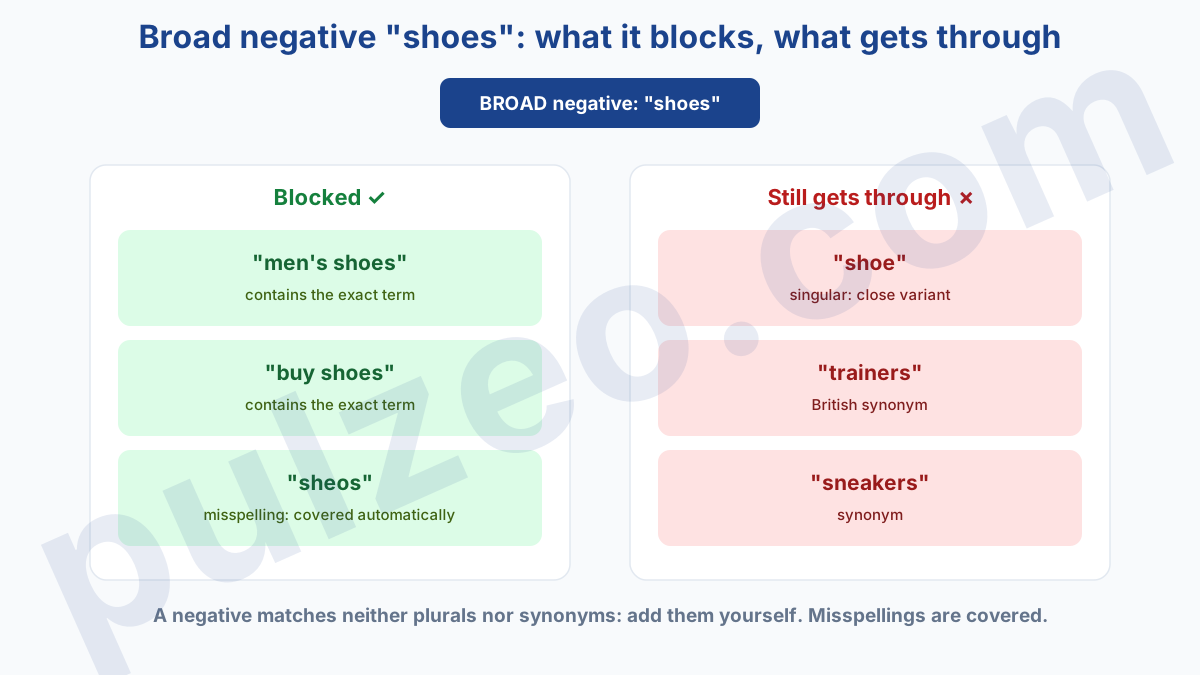
As a positive broad match keyword, "shoes" triggers your ads on "shoe", "sneakers", typos and synonyms. So you'd logically expect "shoes" as a broad match negative to block all of that. It only blocks part of it.
Negative broad match doesn't match close variants: it blocks queries that contain all your terms, in any order, but not their singular or plural forms, or their synonyms. Only misspellings are now covered automatically. As a result, "shoes" as a negative does block "sheos", but lets "shoe" or "sneakers" through, and you keep paying for them without suspecting a thing.
Phrase and exact: the precise setting
That leaves the question of reach. The broad negative is the widest: it blocks your terms in any order. To block exactly what you're aiming at, without overreaching, think phrase or exact.
Negative phrase match excludes a query that uses your terms in the same order, ideal for a multi-word expression like "free gift". Negative exact match only blocks the strictly identical query: it's the most precise setting and the least risky.
And whatever the match type, add plurals and synonyms yourself, because on the negative side, Google won't guess them for you. Misspellings, on the other hand, are covered automatically.
An example to pin it down: "free gift" as a phrase negative blocks "free gift ideas" or "free gift with orders over $50", but not "free gifts", in the plural. To cover that variant too, you need a second negative. On the negative side, close enough doesn't cut it.
The full matching rules are set out in Google's documentation. A simple test to validate your negatives: look up the problem term in the search terms report a few days after excluding it. If it shows up again, the match type was too loose, or a variant slipped past you.
Where should negative keywords go: account, campaign, or ad group?
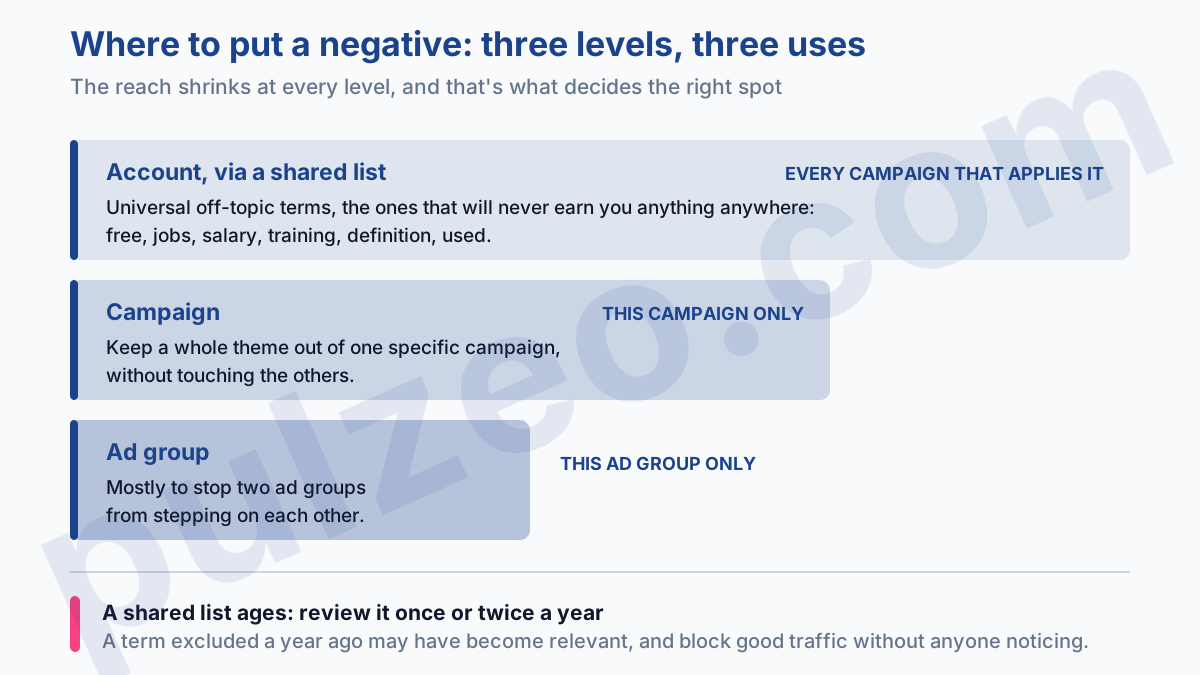
A negative can be added at three levels, and picking the right one spares you a lot of damage. At the account level, through a shared negative keyword list, for the universal exclusions that apply everywhere: freebies, jobs, recurring off-topic terms. You update the list once, and it carries over to every campaign that uses it.
At the campaign level, to keep a whole theme out of one specific campaign without touching the others. That's where your brand name usually goes: as a campaign-level negative keyword in your generic campaigns, so that brand searches land in the campaign built for them.
And finally at the ad group level, mostly to stop two ad groups from stepping on each other's toes: you exclude from one group the terms that should land in the other.
The shared list at account level is a pillar of a healthy account structure: you centralize universal off-topic terms instead of retyping the same exclusions everywhere. It's also what keeps the cleanup manageable when you run several accounts: a few well-kept shared lists replace hundreds of manual additions scattered all over the place.
One last habit, and it's almost always forgotten: a negative keyword list ages. A term excluded a year ago because it didn't convert may have become relevant since, with a new product line or a different target, and it now blocks good traffic without anyone giving it a thought. Once or twice a year, reread your shared lists and remove what no longer belongs there.
Finding the keywords to exclude
In practice, everything starts from the search terms report, which lists the real queries people typed. The routine: sort it by cost, spot the terms that spent without ever converting, and ask yourself three questions before excluding anything.
First, is this term off-topic everywhere, or only for one campaign? The answer decides the level, account or campaign.
Next, which match type: a precise, recurring term gets blocked in exact, a whole group (anything containing "jobs") in phrase, provided you know its real reach. Finally, which variants to add while you're at it, plurals and synonyms included, since the negative won't cover them on its own.
These three checks take a minute per query, and they're what separates a list that genuinely protects the budget from a list that just looks nice in the interface.
The risks of a negative keyword that's too broad
Try to filter everything and you fall into the opposite trap, which is sneakier. A negative that's too broad can block a query that was converting very well. Worse, it can clash with one of your own keywords: if you bid on "running shoes" and exclude "running" somewhere, your good keyword stops triggering, silently, without the slightest alert.
The classic symptom is impressions collapsing on an ad group for no apparent reason, right after a big negative keyword cleanup. Before adding a broad exclusion, ask yourself what it might take down with it.
A case I see often: an online store excludes "cheap" in broad match to cut out bargain hunters. Three weeks later, "cheap iphone case" and "cheap running shoes", two of its best queries, no longer trigger. The negative was aimed at the tire-kickers, and it took real buyers out along the way.
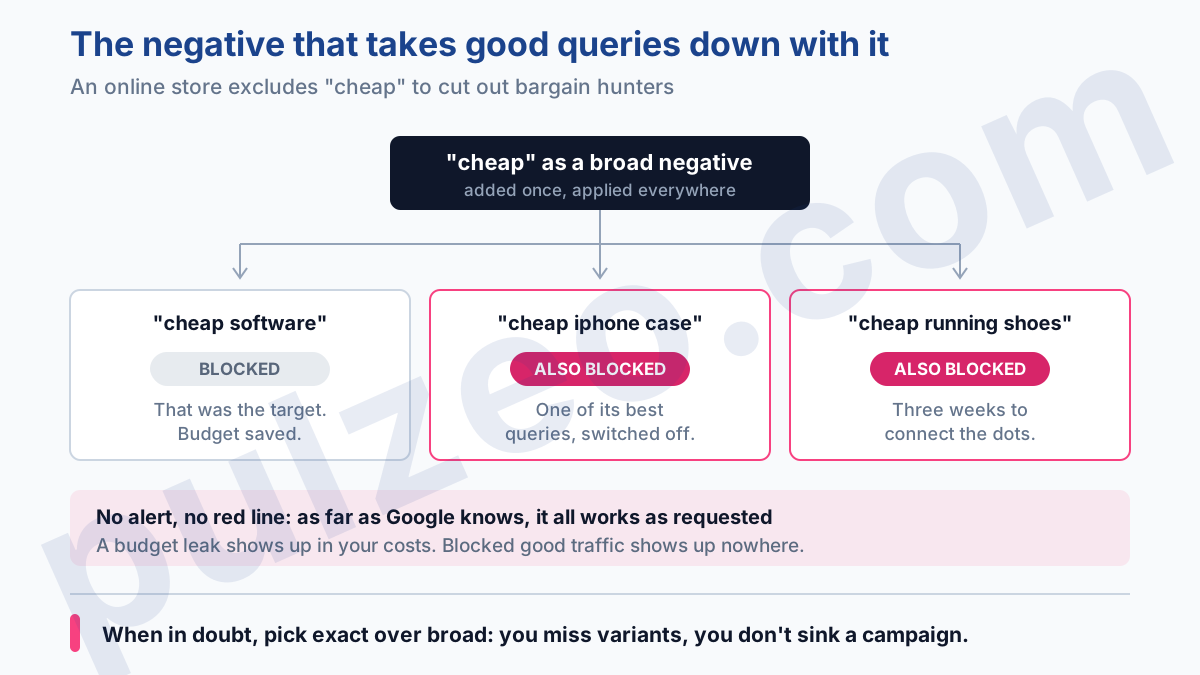
And this kind of damage isn't a leak; it's a drought. A budget leak shows in your costs; blocked good traffic leaves no red mark anywhere in the interface. It's a conversion that simply never happened, the worst kind to diagnose.
When in doubt, pick exact over broad: you miss a few variants, but you don't sink a campaign that was running well. The trap in this mistake is that it sets off no alarm: as far as Google is concerned, everything is working as requested. It's up to you to connect an ad group's sudden drop with the negative added the day before.
Negative keywords in Performance Max
Good news if you run Performance Max: negative keywords now work there too. Since 2025, you can add negative keywords directly at the campaign level, up to 10,000 as in Search, and you can apply shared lists (Google's documentation).
And the gap with a standard campaign has closed on visibility too: since 2025, the Performance Max search terms report shows queries with the same level of detail as in Search. So you can see what needs cutting, and you can cut it.
So the habits in this article apply to Search and Performance Max alike. And for whatever runs outside Search, the equivalent of a negative is called a placement exclusion: there you exclude places, not words. I cover it in the article on how to optimize Performance Max.
How often to add negative keywords
In the end, the problem with negative keywords isn't knowing how they work. It's sticking with them. The search terms report doesn't read itself, and nobody has time to go through it with a fine-tooth comb every week, on every account. So you put it off, and the budget drains into queries that will never convert, exactly like a CPA that swells without anyone noticing.
That's precisely what Pulzeo watches for you. Zeo sifts through your search terms and surfaces the queries that spend without converting, ready to exclude, instead of leaving you to dig through an endless table. You no longer discover the leak at the end of the month: you cut it off while it's still only costing three dollars.
A good negative isn't the one you add once. It's the one you find every week, before it gets expensive.
Common questions
What are negative keywords in Google Ads?
A negative keyword is a search you refuse to show your ad for. If someone types that term, or a search that contains it, your ad doesn't serve and you don't pay for the click. It's the filter that stops your budget from going to searches that have nothing to do with what you sell.
Which match type should you use for a negative keyword?
Watch out for a common misconception: unlike a positive keyword, a negative keyword doesn't block close variants, not even plurals or synonyms, whatever its match type (only misspellings are covered automatically). So add plurals and synonyms yourself. And to exclude without overreaching, favor phrase match (the same words in the same order) or exact match (the strictly identical query).
At what level should you add negative keywords?
Three levels. The account, through a shared negative keyword list, for universal exclusions that apply everywhere. The campaign, to keep a whole theme out of one specific campaign. The ad group, mostly to stop two ad groups from overlapping. A shared list at account level saves you from retyping the same negatives everywhere.
Can you add negative keywords to a Performance Max campaign?
Yes, now you can. Since 2025, Performance Max accepts negative keywords at the campaign level (up to 10,000, as in Search) and through shared lists. And visibility has followed: also since 2025, the Performance Max search terms report shows queries with the same level of detail as in Search, so you can finally see what needs cutting.
