
White-label client reports, sent automatically
In your colors, written in plain English, tailored to each client and sent on schedule. Reporting stops being a chore.
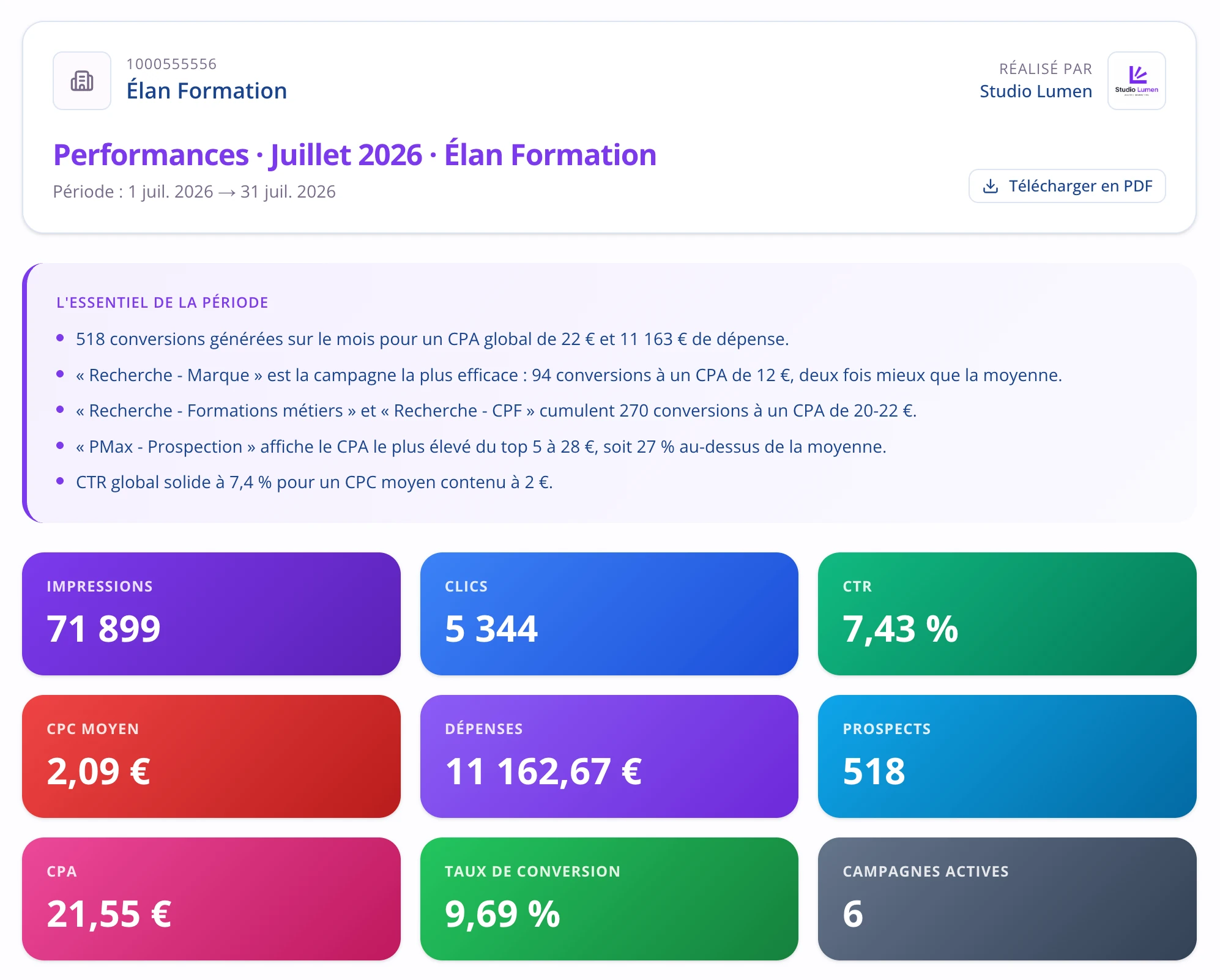
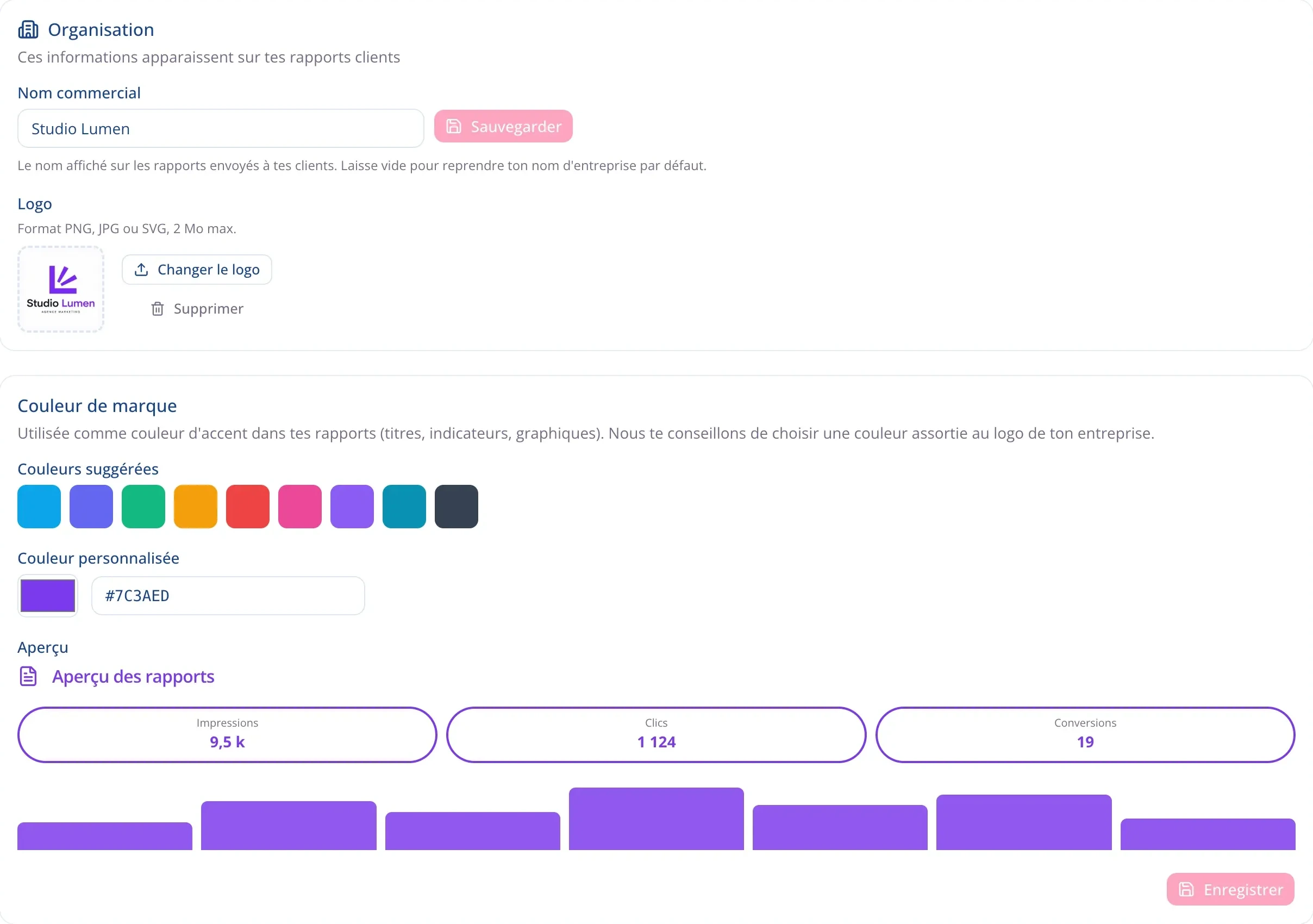
The report carries your brand
Logo, colors, the name of your agency: the document your client receives is yours. Nothing says a tool went through it, and your month of work is presented the way it deserves.
- Your logo and your colors on every page.
- Full white label starting with the Business plan.
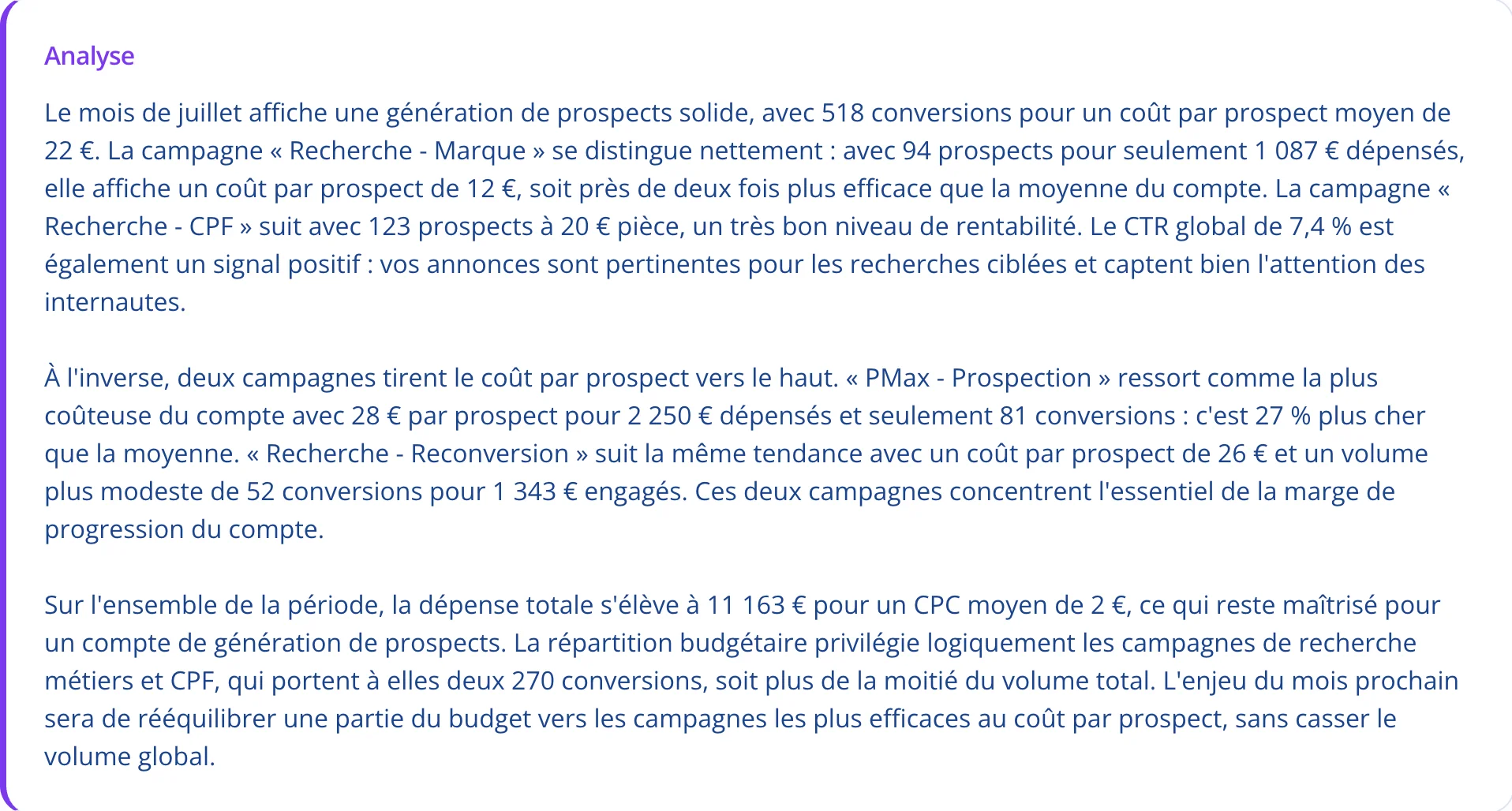
A summary your client understands without calling you
The text is written from the real data, in the vocabulary of your client’s business. A lead generation account is discussed in cost per lead, an online store in revenue and ROAS. Nobody needs a glossary.
- Cost per lead, revenue or ROAS, depending on the business.
- The month’s wins are called out, not just the shortfalls.
The client report, end to end
White label
Your logo, your colors, your trade name. The client receives your document, not the output of a tool they could have bought themselves.
The commentary is written for you
Zeo writes the month’s summary from the real numbers, in the language of your client’s business. You proofread instead of drafting.
You choose the metrics
Not every client needs the same numbers. You set the report up once, and it keeps that shape month after month.
Scheduled delivery
Weekly or monthly, on the date you set. The report is generated and sent on its own, and you stop thinking about it.
Sharing made simple
The client opens the report in their browser to read it or download it. No account to create, no access to grant.
Sent reports stay available
Generated reports are kept, with a record of what went out, to whom and when. A dated history, and a clean audit trail.
14-day free trial
Take your month-ends back
Build a branded report in two minutes, then have it sent automatically every month. No credit card required. Cancel anytime.

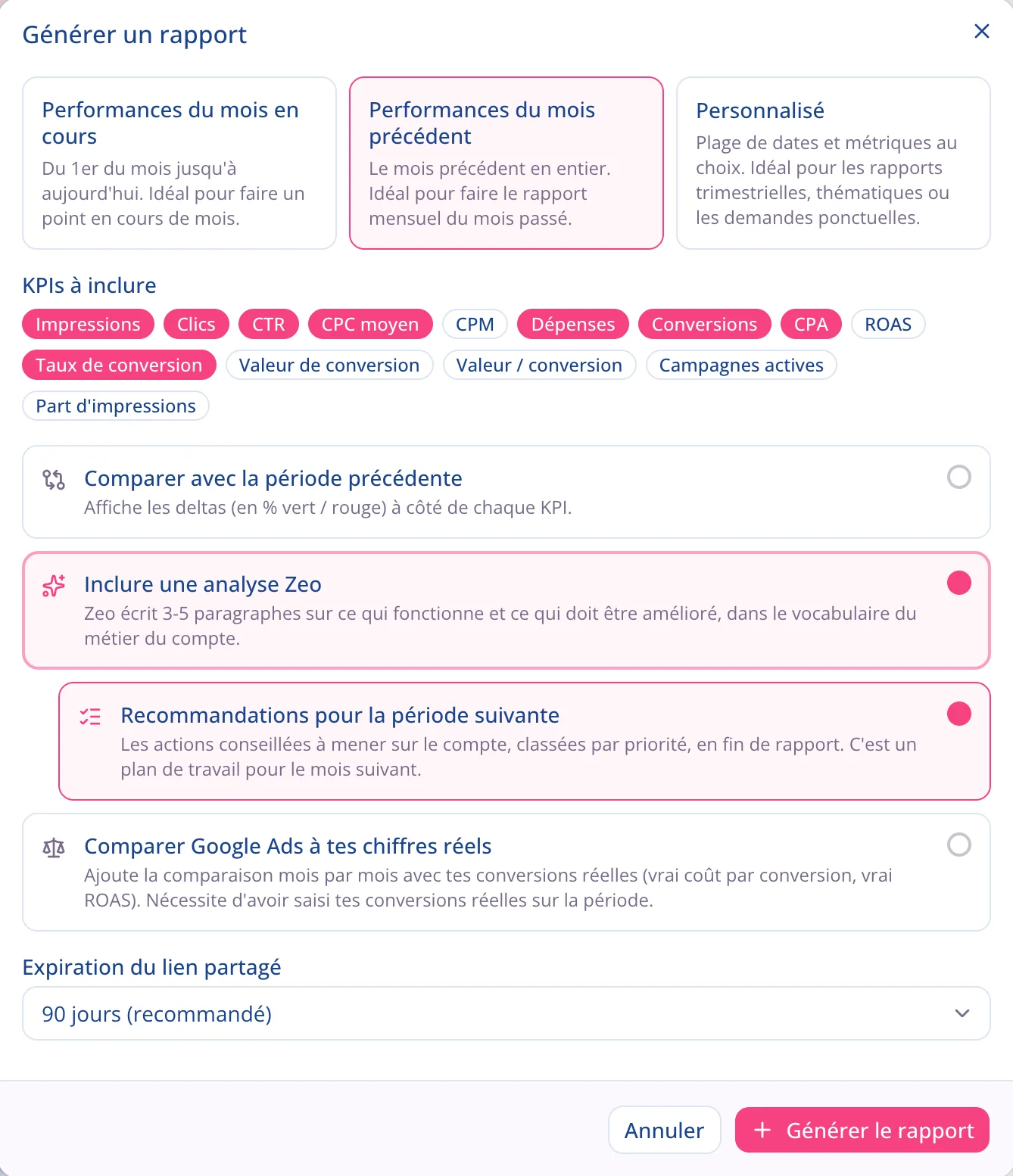
You shape the report, Pulzeo handles the rest
You build the report once, with the metrics that matter to that client. You pick the period and how often it goes out. From then on Pulzeo generates and sends it without you having to touch it again, month after month.
- Weekly, twice a month or monthly.
- Generated and sent automatically, on the date you set.
Your client opens the report in one click
The report opens from a link, in a browser. Your client has no account to create and no sign-up to go through, and you never have to give them access to your Google Ads account to let them see their results.
- A share link, with no sign-up.
- No access to the ad account.
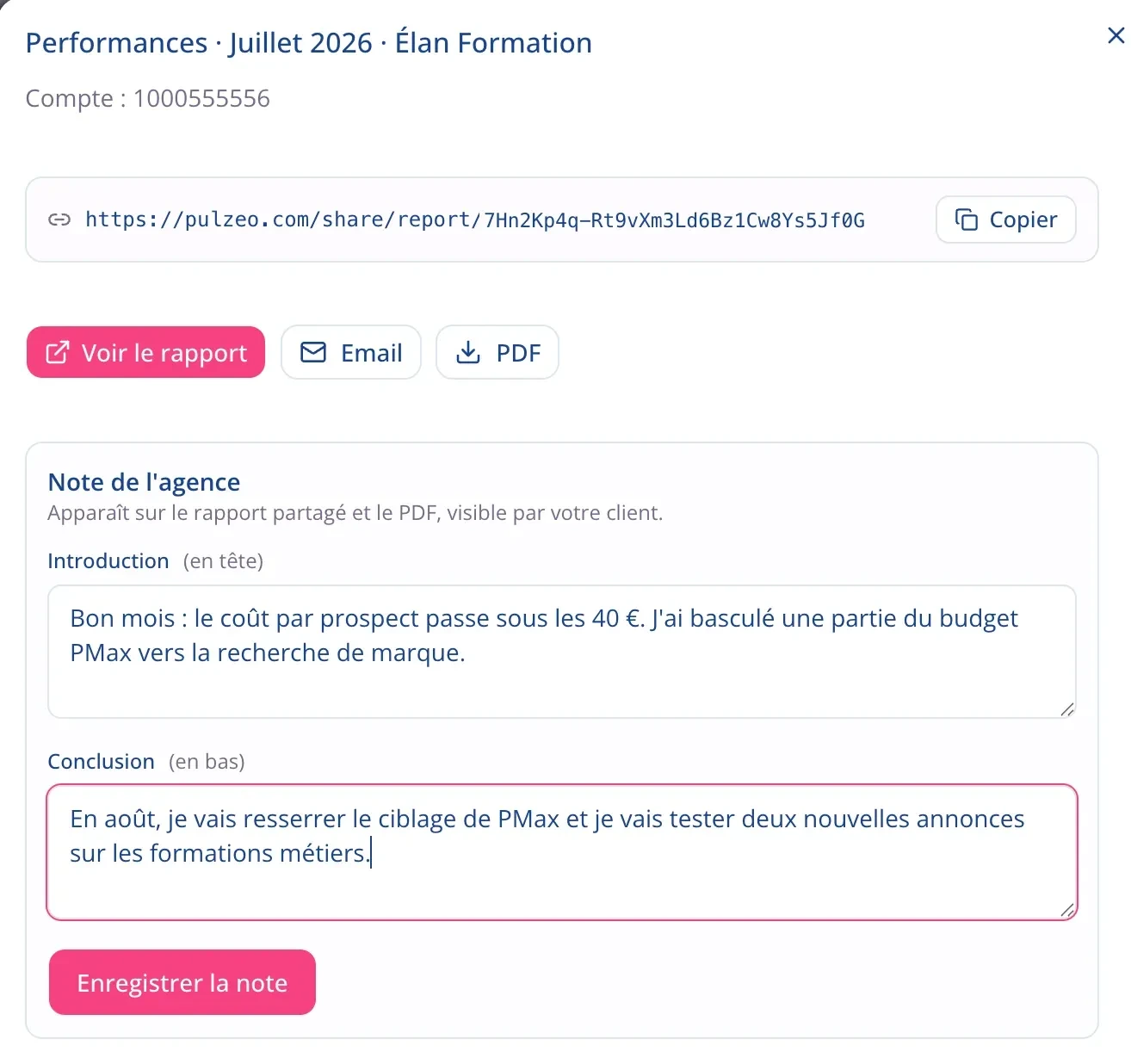
You add your own words, before and after the numbers
The report is yours to shape. You open with your take on the month and close with what you’ll do next, with the figures in between. That’s what the client reads first, and what sets your report apart from an export.
- An introduction at the top, a conclusion at the end.
- On the shared link and in the PDF.
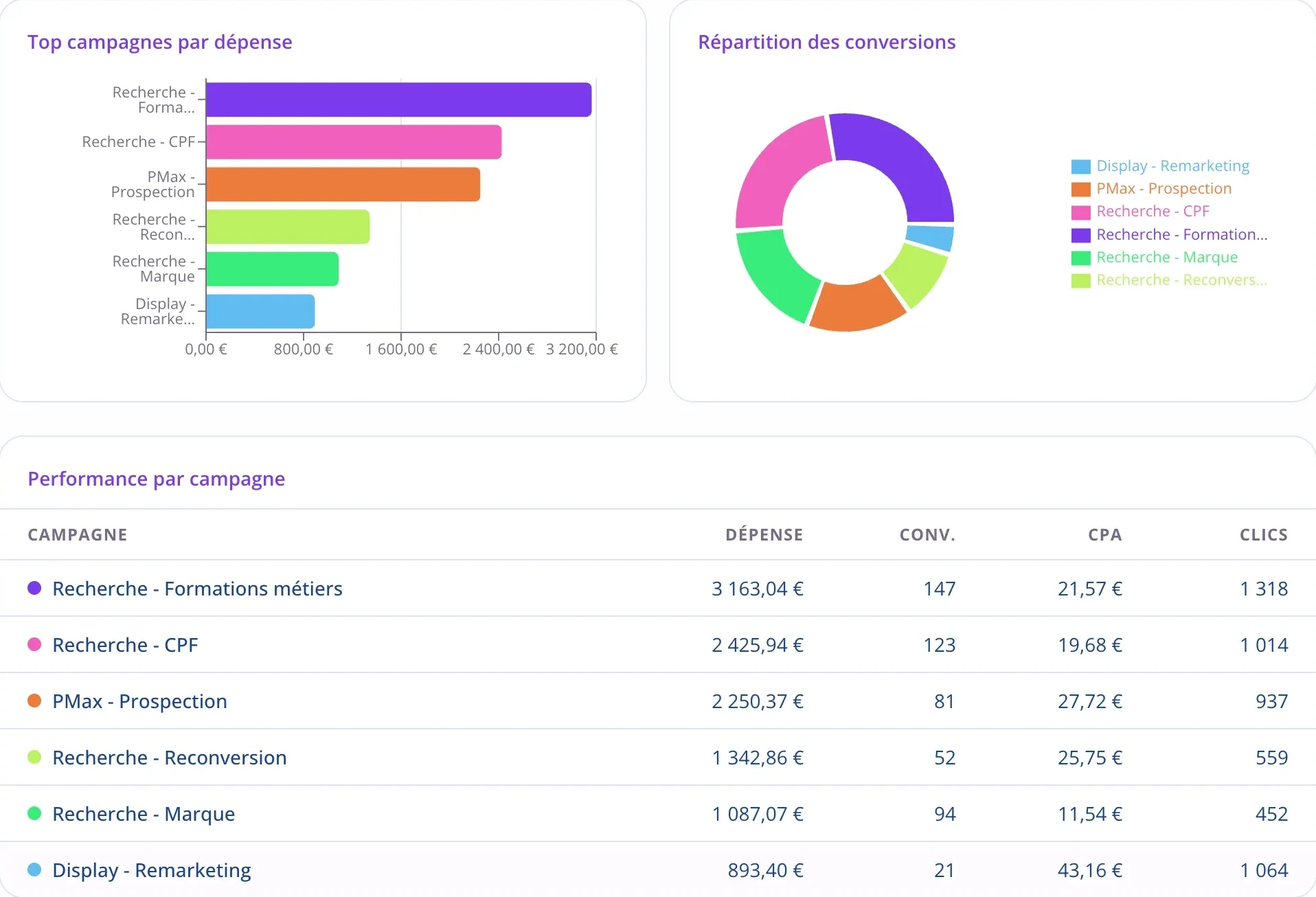
What each campaign cost, and what it brought in
The client sees where the budget went, campaign by campaign, and what each one produced. No more preparing an answer to “why does this campaign cost more”: it’s already in the document.
- Spend, conversions, cost per conversion and clicks per campaign.
- Ranked by spend, with the split of conversions alongside.
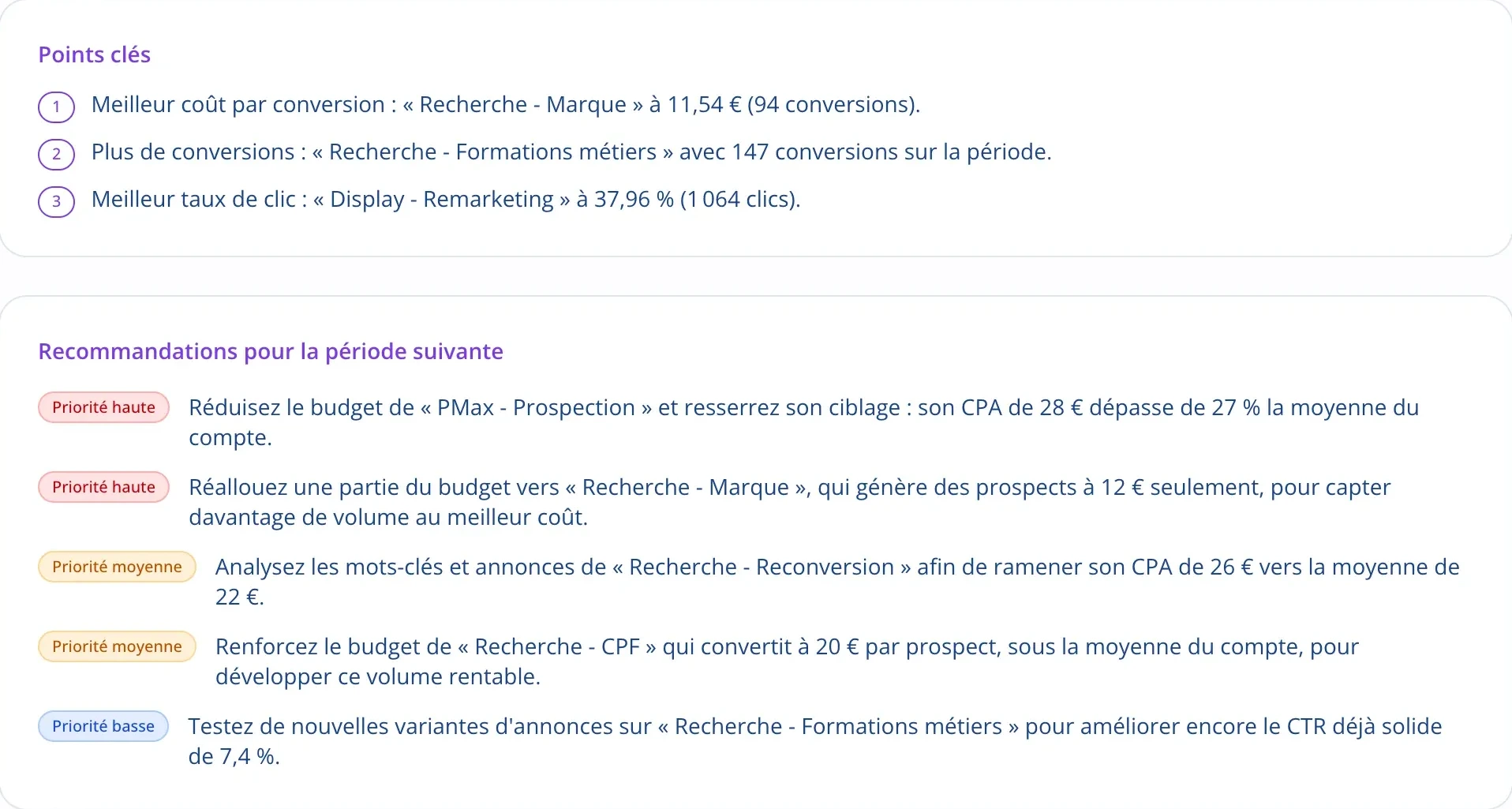
The report ends with what happens next
A report that only describes the month leaves the client with the question they always ask: now what? Key takeaways and recommendations close the document, the latter ranked by priority, each tied to the month’s numbers.
- Key takeaways naming your campaigns’ best results.
- High, medium or low priority, based on the expected impact.
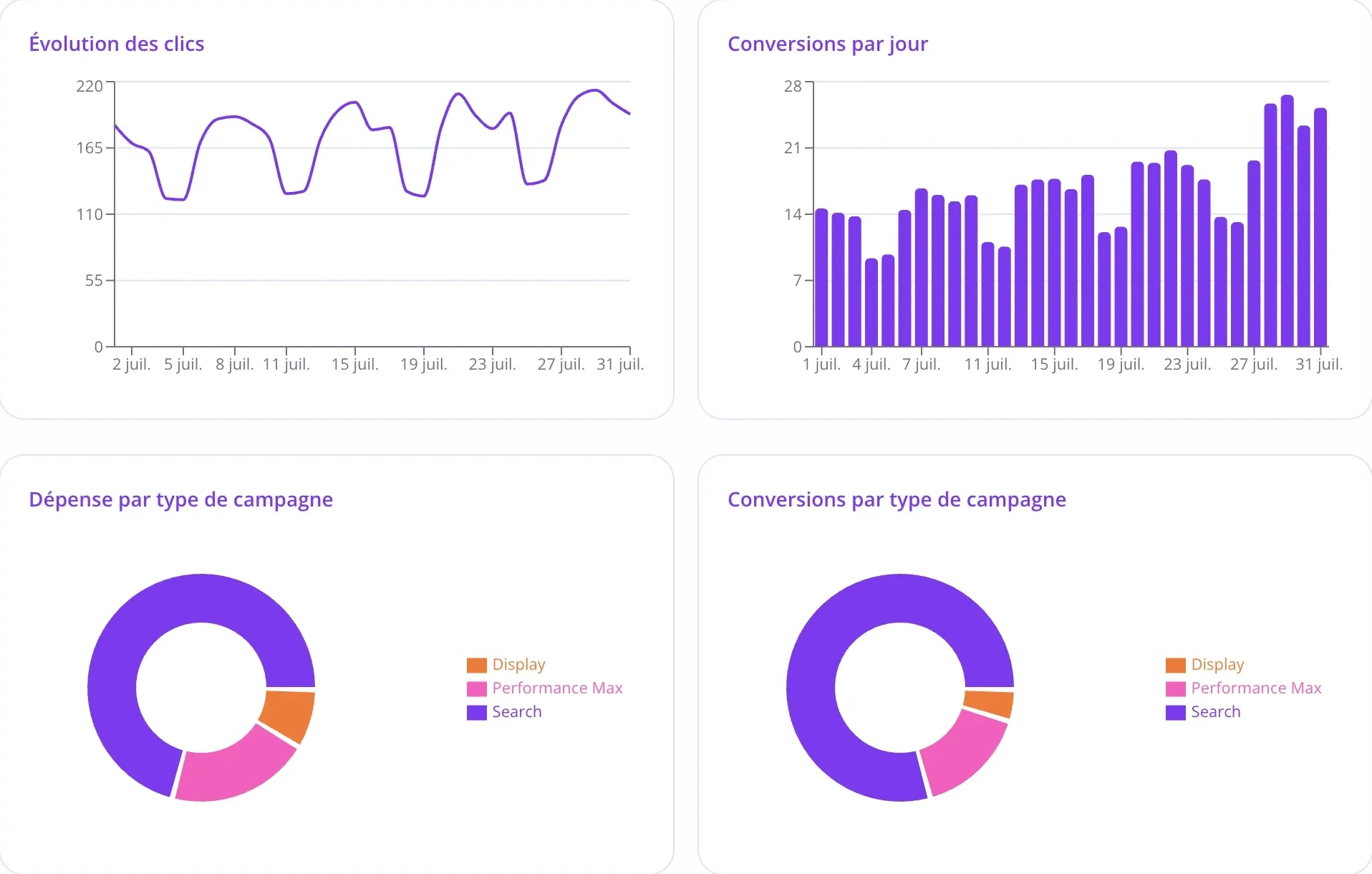
Charts anyone can read
Clicks and conversions day by day, and how the budget splits across campaign types. None of these charts needs explaining.
Questions about client reports
Does the report really carry my brand?
Yes, starting with the Business plan: your logo, your colors and your trade name replace ours. On the Individual plan, reports keep Pulzeo’s colors.
Who writes the commentary?
Zeo writes it from the account’s real data over the period, taking the client’s type of business into account. You proofread before it goes out, and you frame it with your own introduction and conclusion.
Does my client need a Pulzeo account?
No. The report opens from a share link, in a browser. Nothing to install, nothing to create, and no access to your Google Ads account.
How often do reports go out?
As often as you choose: weekly, twice a month or monthly, on the date you set. You can also generate a one-off report at any time.
Can I choose which metrics appear?
Yes. You build the report once per client, and it keeps that shape in the months that follow. An online store and a lead generation account don’t need the same numbers.

Your Google Ads copilot is ready.
Zeo will analyze your accounts, quickly spot the optimizations that matter and prepare your client reports.
- 14-day free trial
- No credit card required
- Cancel in one click
