
Zeo, the Google Ads assistant that knows your accounts
It analyzes your campaigns, answers your questions in plain English and suggests concrete actions for your account.
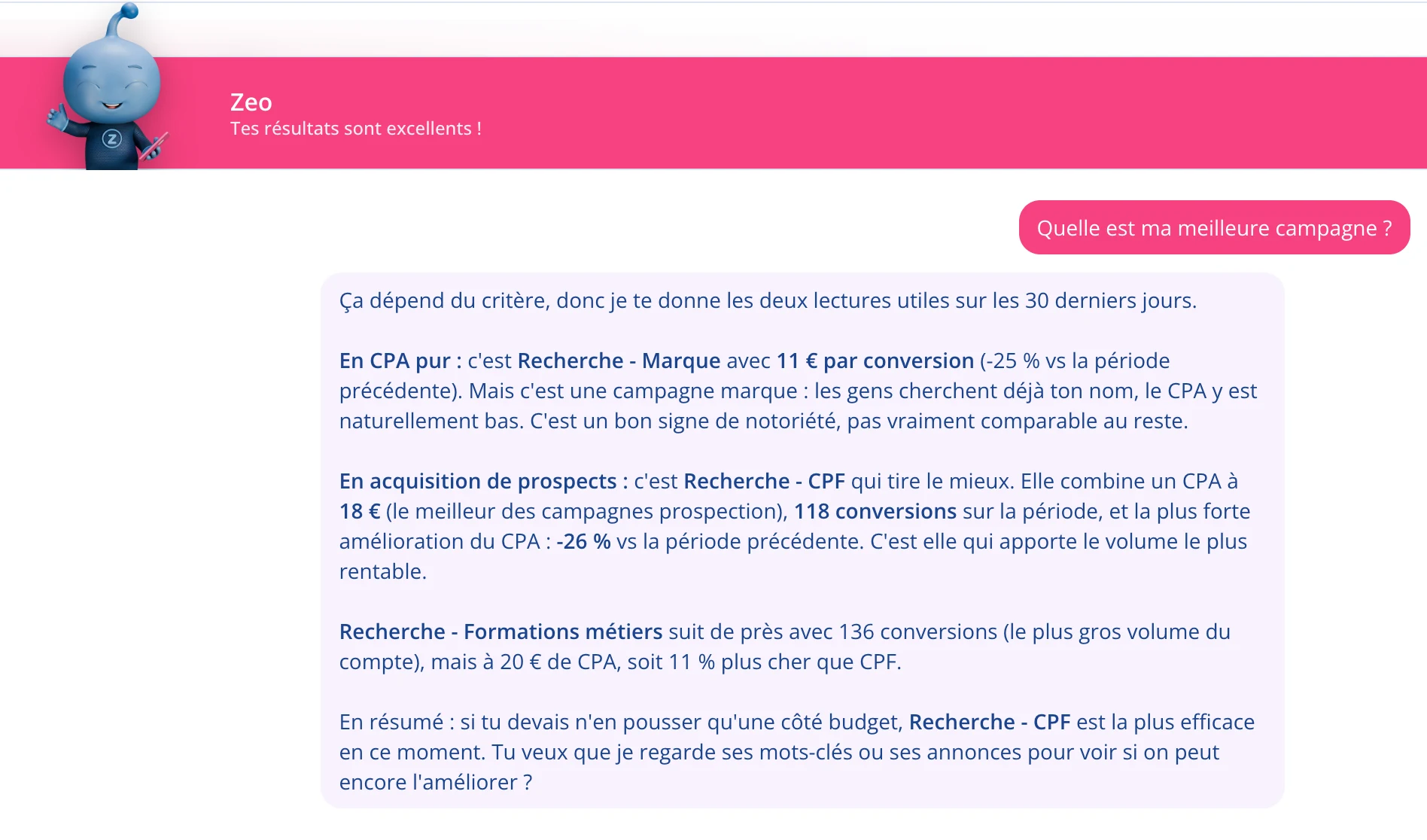
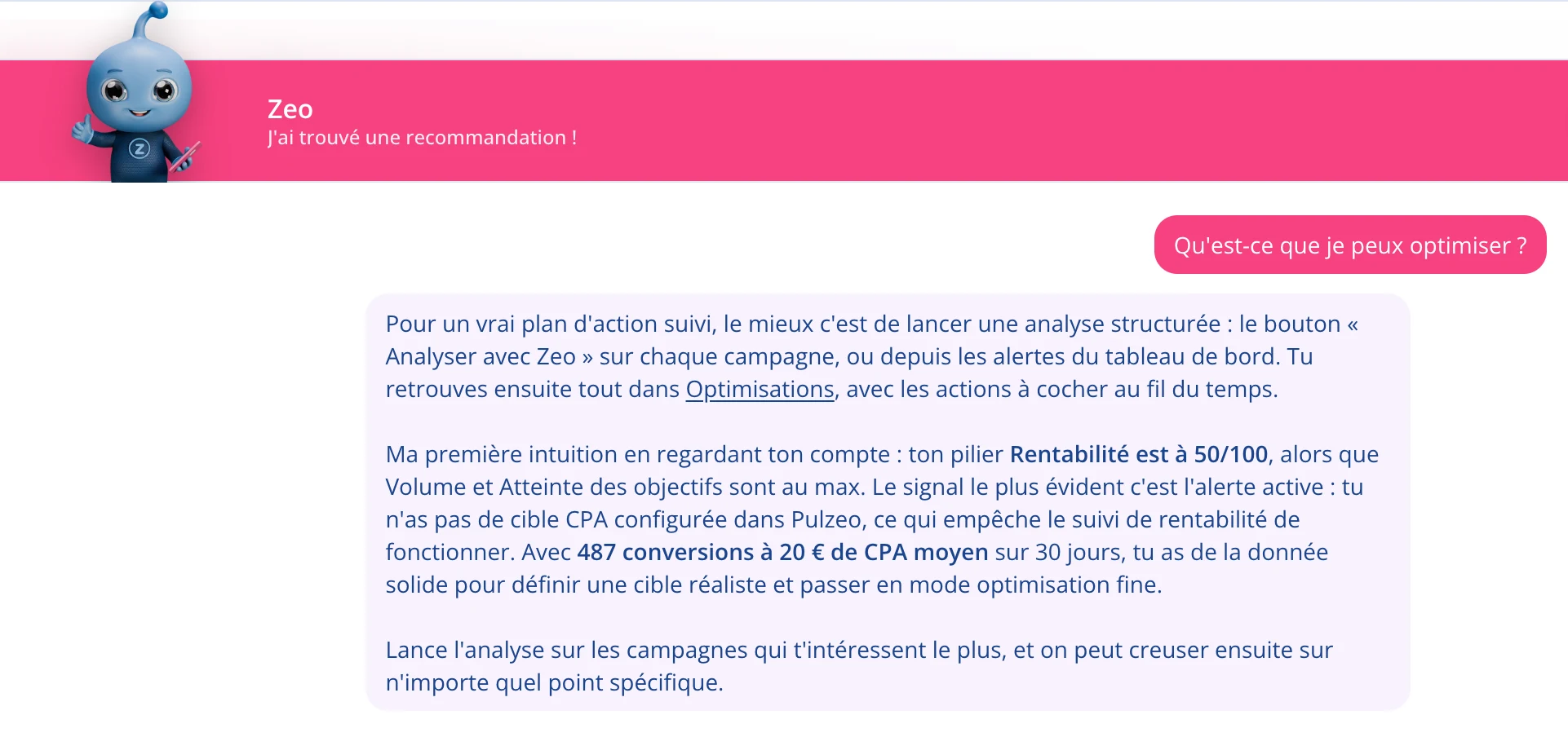
Ask the way you’d ask a colleague
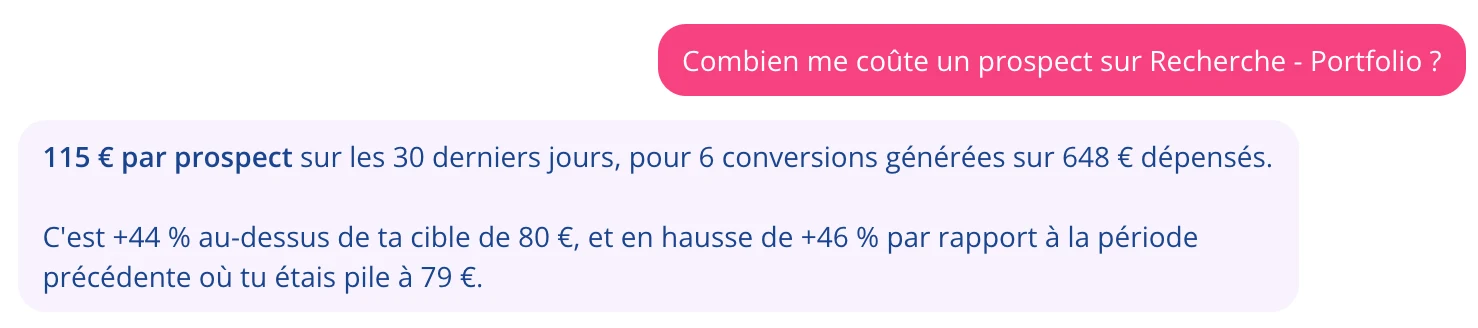
“Why did my cost per lead go up this week?” or “which keywords should I add?”: Zeo answers by looking at your real data, not by reciting generalities. It knows the details because it has read your account.
- Answers quote your numbers, over the period you’re looking at.
- The wording adapts to your level, with no agency jargon.
It reads your data before answering
Zeo has access to your campaigns, your search terms, your budgets, your change history and the business profile you filled in. That’s what separates a useful answer from advice you could find anywhere online.
- It sees the queries people actually typed, not only your keywords.
- It knows the account’s history: what changed, and when.
What Zeo can do
Analyze an account
It reads the data, writes a summary in plain English, rates the account’s health and lists what works as well as what needs fixing.
Rank the fixes
Every recommendation carries its expected gain and the effort it takes, so you know where to start.
Explain step by step
Where to go in Google Ads, what to click, in what order. A beginner can apply a recommendation they would never have found alone.
Suggest keywords and ads
Zeo offers keyword ideas with their real volumes, plus headlines and descriptions grounded in what you actually sell.
Say what’s working
It puts numbers on your strengths. A tool that only shows problems ends up discouraging rather than helping.
Remember the account
Zeo knows your past analyses and the changes recorded on the account, and they stay available at any time.
14-day free trial
Ask your first question
Connect a Google Ads account and get an answer backed by your numbers in seconds. No credit card required. Cancel anytime.
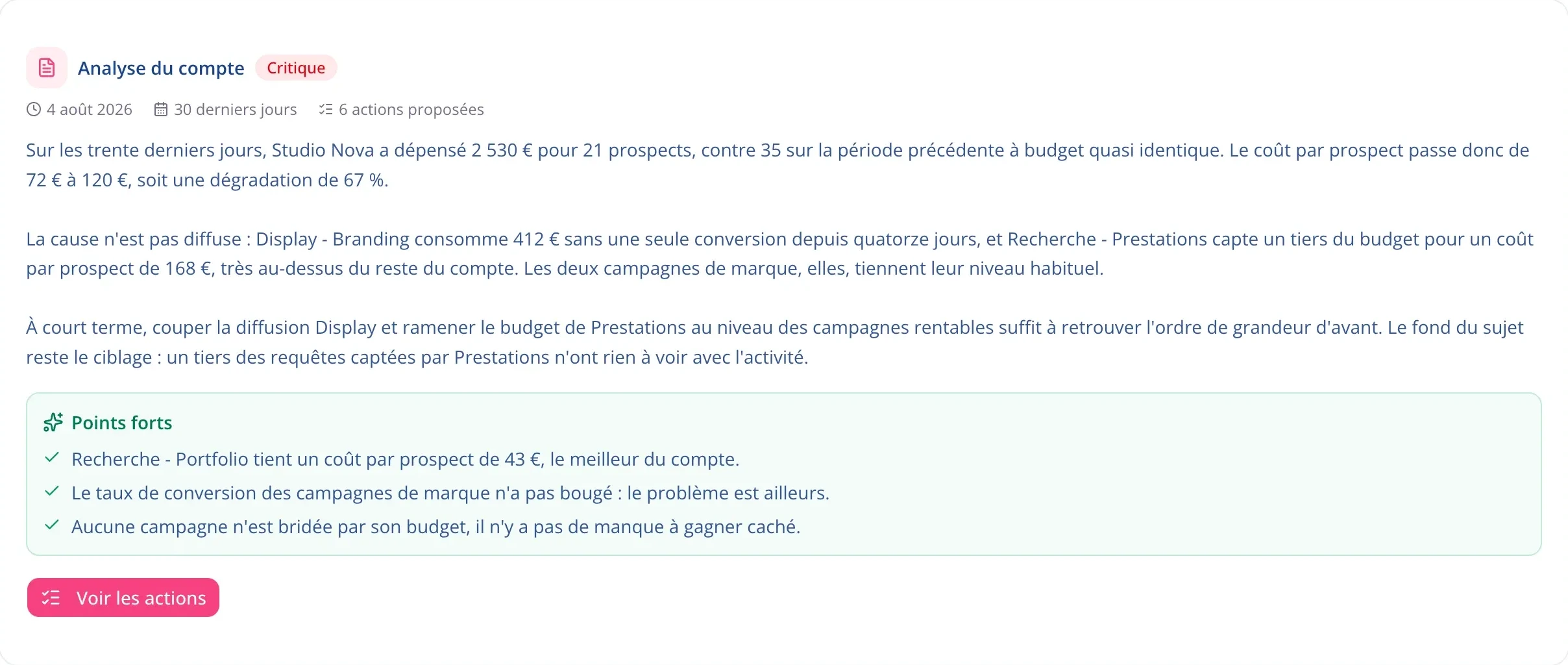
Zeo writes your account’s diagnosis
You get a read of your account: what’s going well and what needs work. You get the reason behind every observation, the verdict that sums it up, and an action plan. It’s what you’d get from a consultant, except it’s ready in minutes.
Zeo also points out what works
No account is entirely broken. Zeo surfaces your strengths with their numbers, so you know what to build on as much as what to fix. It’s also how you make progress without losing heart.
Zeo changes nothing without your confirmation
For the fixes it can make itself, it shows the current value and the new one before acting, and you confirm. On everything else, it hands you the instructions and you keep control.
- No change is made without your approval.
- You can roll back every action that was applied.
Questions about Zeo
Can Zeo change my Google Ads account?
Only after you confirm, and only on a short list of safe fixes: daily budget, target ROAS or CPA, pausing, negative keywords. Everything else is explained step by step so you can do it yourself.
What does Zeo base its answers on?
On the real data in your Google Ads accounts: campaigns, spend, conversions, the search terms people typed, budgets, bids, change history, plus the business profile you filled in. It never answers in general terms: every answer is grounded in your own numbers.
Do I need to know Google Ads to talk to it?
No. You ask the question the way you would say it out loud to a consultant. The answer comes back in plain English, without jargon, so anyone on the team can act on it.
How many questions can I ask?
Up to five a day on the Individual plan. As many as you like on Business and Agency, where it’s your assistant around the clock.
Is my data used to train a model?
No. Your data is used to answer your questions and produce your analyses, nothing else. The details are in our privacy policy.

Your Google Ads copilot is ready.
Zeo will analyze your accounts, quickly spot the optimizations that matter and prepare your client reports.
- 14-day free trial
- No credit card required
- Cancel in one click
