
Keyword research with the numbers that matter
You get the search volumes from Google’s own database, the competition and the cost per click, without having to launch a campaign first.
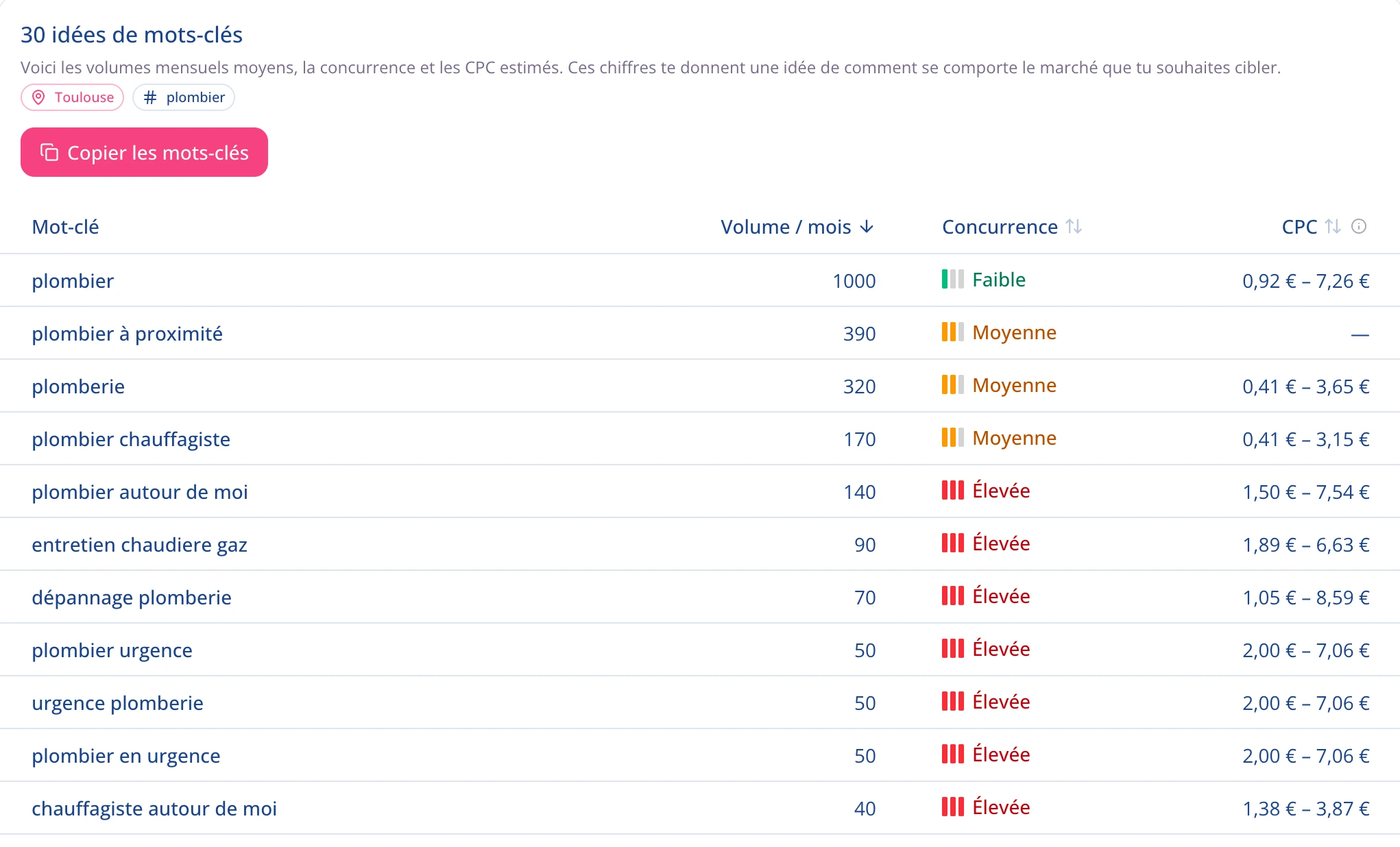
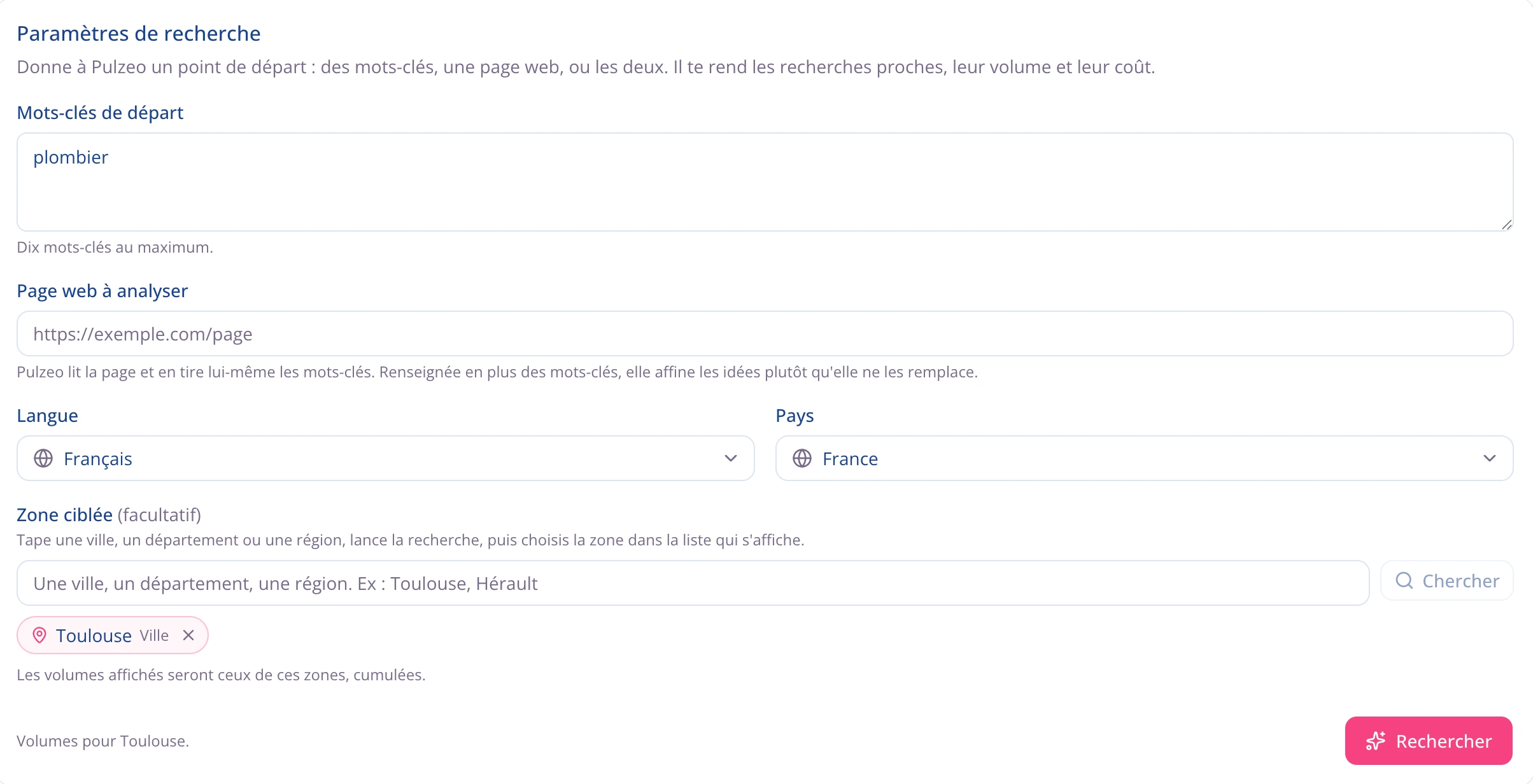
Pick the area you actually sell in
“Plumber” is searched 673,000 times a month across the United States. In Austin, 3,600. Someone planning campaigns on the national figure isn’t slightly off, they’re aiming at a market that isn’t theirs. You choose your city, your county or your state.
- Target a city, a county, a state, or several areas at once.
- The volumes shown are the ones for the areas you picked.
The numbers come from Google itself
Search volumes, competition levels and cost-per-click ranges come from Google, the industry standard. You make decisions on the same data agencies use, without wrestling with the interface.
- Average monthly volume, competition and cost-per-click range.
- No estimate of ours: these are Google’s own numbers.
From research to campaign
Volume, competition, price
The three numbers that decide whether a keyword is worth it, side by side instead of scattered across three screens.
Your area, at the scale you want
A city, a county, a state, or several areas combined. Type the name: Pulzeo finds the area and pulls its volumes.
Start from a word or from a page
Enter a seed keyword or a page URL from your site: you get a list of ideas you can actually use.
Copy by match type
Keywords copy out as broad, phrase or exact match, ready to paste into Google Ads without reformatting.
Go straight to the ads
From the keywords you keep, Zeo drafts headlines and descriptions built around them, in the vocabulary of your trade.
No live campaign needed
Research works as soon as your account is connected. Prepare a launch or size up a market before spending a cent.
14-day free trial
Find your keywords
Run a search and get the numbers for your area, with no campaign to create. No credit card required. Cancel anytime.
Why run your keyword research in Pulzeo
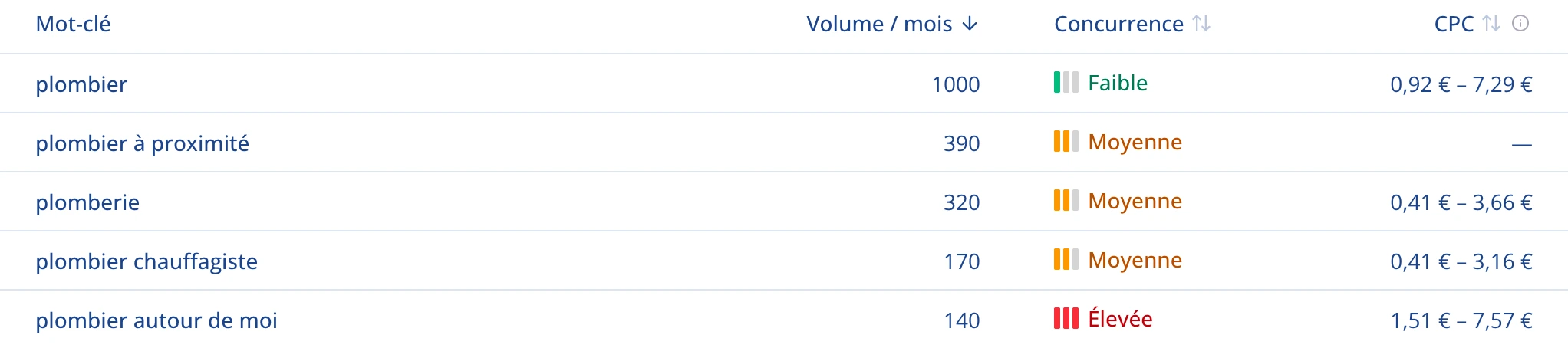
Because a word and an area are enough. No ad account to configure, no interface to learn, no detour through screens you don’t need. Volume, competition and cost per click sit side by side, for the city or county you’re targeting.
- The numbers come from Google. They’re not estimates.
- No live campaign is required to get to them.
From keyword to ad in a few clicks
A keyword list alone isn’t a campaign. From the ones you keep, Zeo drafts headlines and descriptions grounded in your business and your audience. You stay in one place from start to finish.
- Headlines and descriptions use the words of your trade.
- Copy your keywords in the match type you want, ready to paste.
Or simply ask Zeo
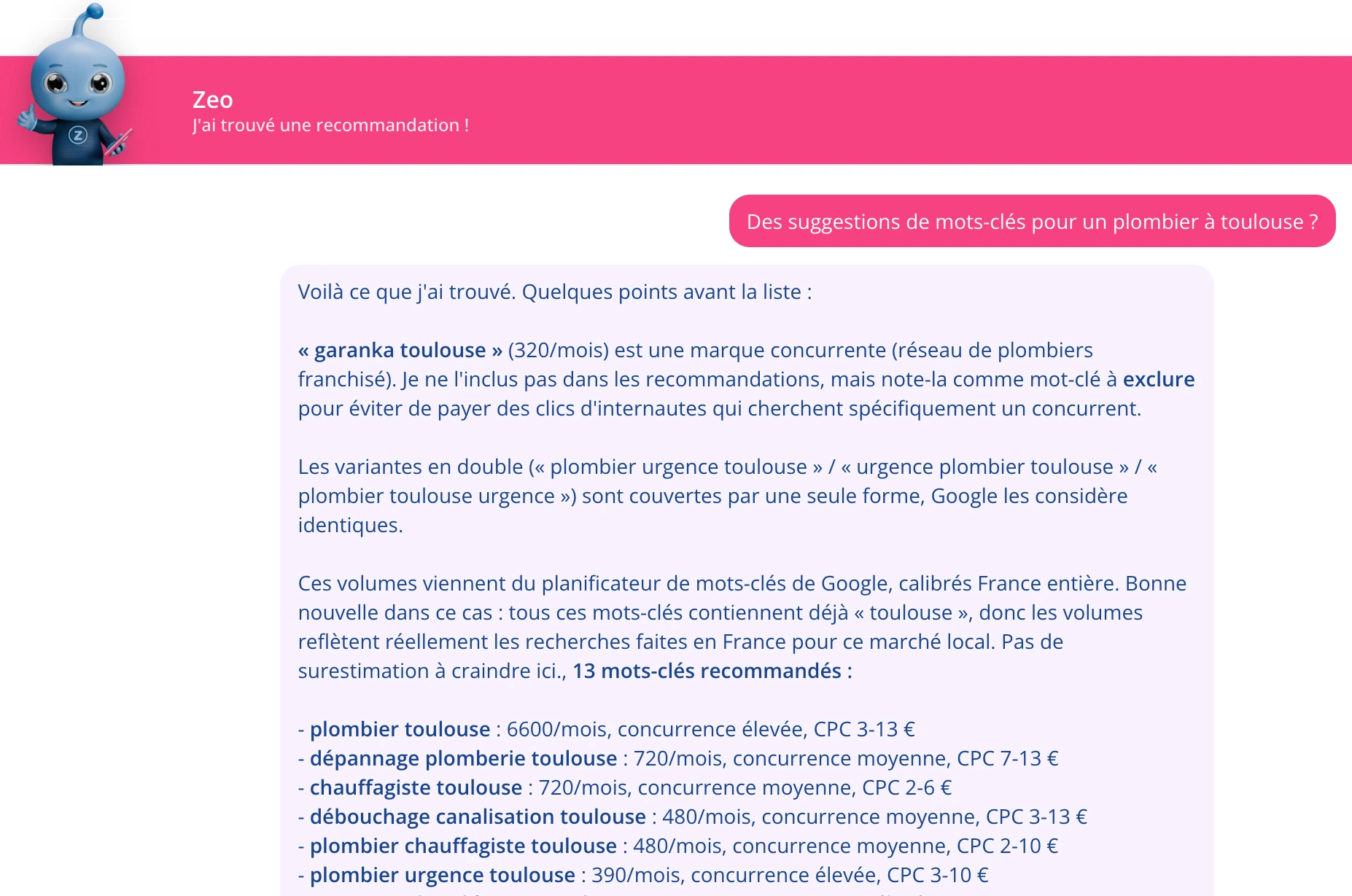
You don’t have to go through the research screen. In your chat with Zeo, ask “find me keywords for a plumber in Austin”: Zeo runs the same search, reads the results and tells you which ones are worth it.
- The same numbers, without leaving the conversation.
- Zeo sorts the results and weighs in instead of handing you a raw table.
Questions about keyword research
What’s a keyword research tool for in paid search?
It replaces gut feeling with numbers. It tells you how many people type a phrase every month, how competitive it is and what a click on it costs. Without that, you bet on the words that feel obvious, usually the most expensive ones, and miss the phrasings that are less in demand but far more profitable.
Where do the search volumes come from?
Straight from Google: they’re its own figures. Google handles billions of searches a year, and we put those numbers in front of you.
Can I search for my city rather than the whole country?
Yes, and it often changes everything. Type the name of your city, your county or your state in the area field: Pulzeo finds it and shows the volumes for it. You can combine several areas if you want. The gap is rarely small: “plumber” is searched 673,000 times a month nationally, and 3,600 times in Austin.
Can I search from a page URL?
Yes. Start from a keyword, from a page URL on your site, or from both. We read the page to pull ideas out of it, and the two together give the list closest to what you actually sell.
How do I get the keywords into Google Ads?
You copy them in the match type you want (broad, phrase or exact) and paste them into your ad group. Nothing to reformat by hand.

Your Google Ads copilot is ready.
Zeo will analyze your accounts, quickly spot the optimizations that matter and prepare your client reports.
- 14-day free trial
- No credit card required
- Cancel in one click
