
All your Google Ads accounts in a single view
The portfolio view brings your client accounts together: spend, conversions and ROAS per account, without juggling tabs.
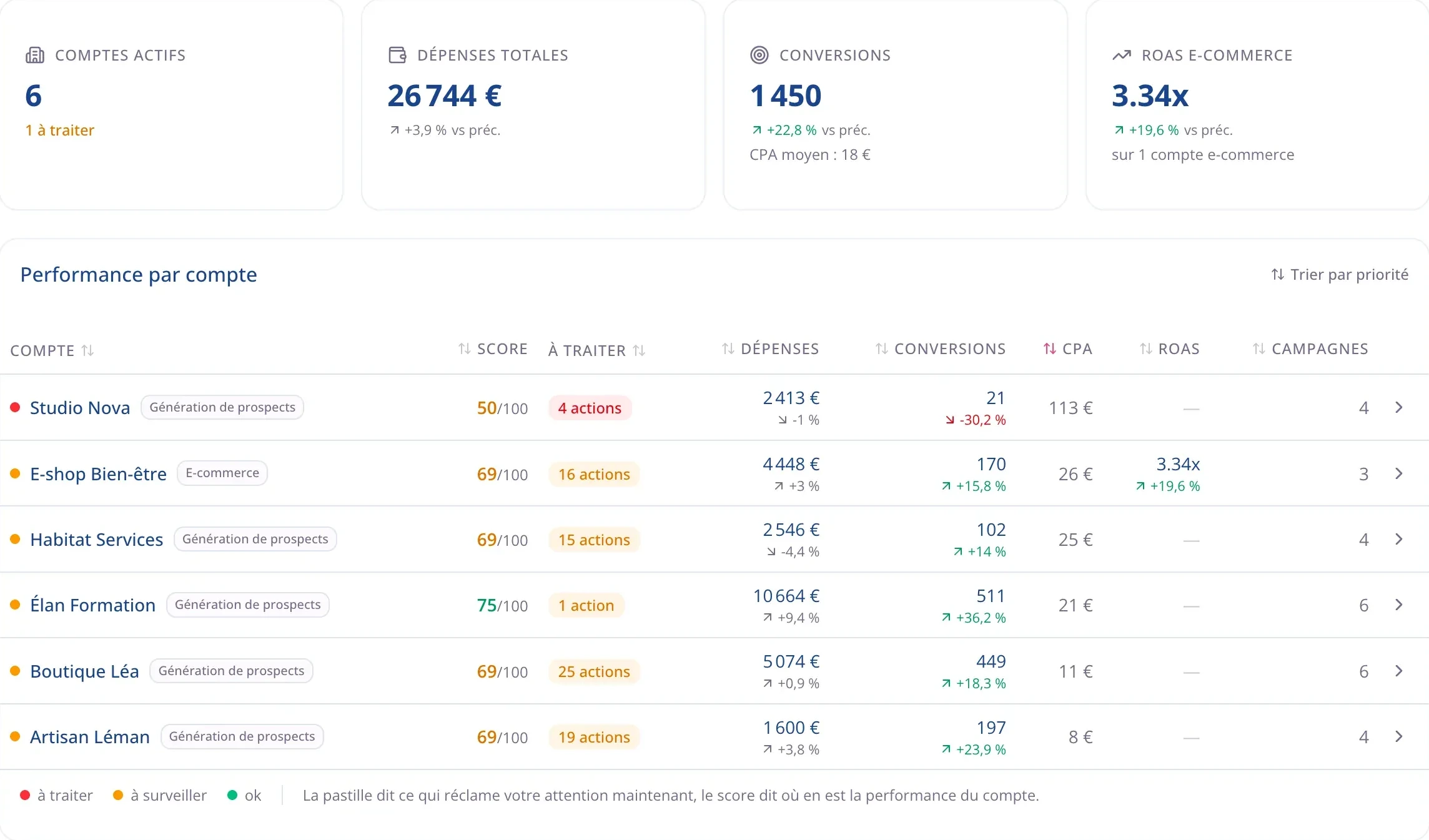
The whole portfolio on one screen
One number for all your clients, the one you won’t find anywhere else without adding it up by hand. Under that total, the multi-account view lists every account with its trend, over the period you choose.
- Change the period once, for every account.
- No exports, no spreadsheet to maintain.
Add an account in two minutes
You connect your Google account, pick the ad accounts to track, and the data comes in. No file to export, no spreadsheet to build, no connector to maintain.
What the portfolio view gives you
Ten accounts, or thirty
The portfolio view comes with the Business plan and goes up to thirty accounts on Agency. You pay the same price no matter how much budget you manage.
The right metric per client
One row shows ROAS, the next cost per lead. You read the portfolio without translating from one business to another in your head.
Sorted by what needs you
The accounts that need attention come first. Your Monday email tells you which one to open.
An action plan per account
From the portfolio you drop into an account and find its optimizations, ranked by gain and effort.
Read-only access for your clients
A client you give access to sees their own line and nothing else. The rest of the portfolio stays invisible, including the names of your other clients.
One Google connection
One more client is one more box to check. You don’t have to reconnect to Google every time.
14-day free trial
Run every account from one place
Connect your Google Ads accounts and see right away which one needs you. No credit card required. Cancel anytime.
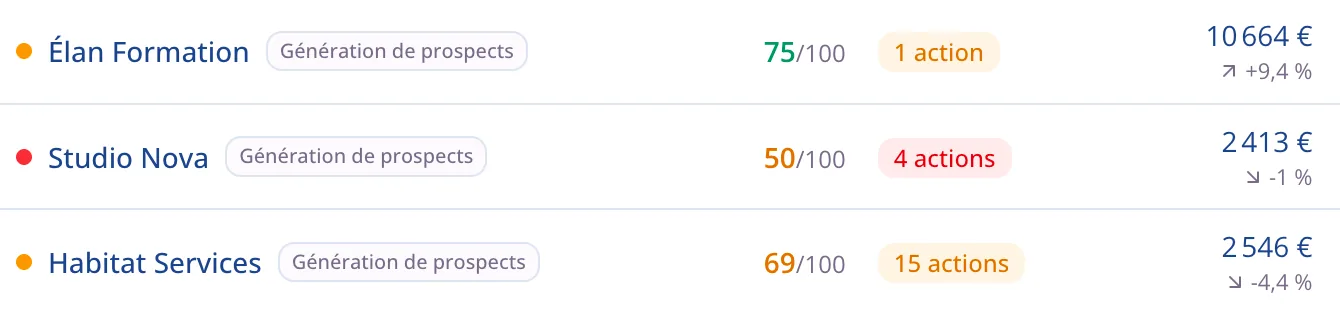
The total, then the detail
The overview gives the total across your accounts for the period. One click on a row and you’re inside the account, with its campaigns and its pending actions. One more click and you’re on a single campaign. The period you chose stays the same at every step, so you never set it again.
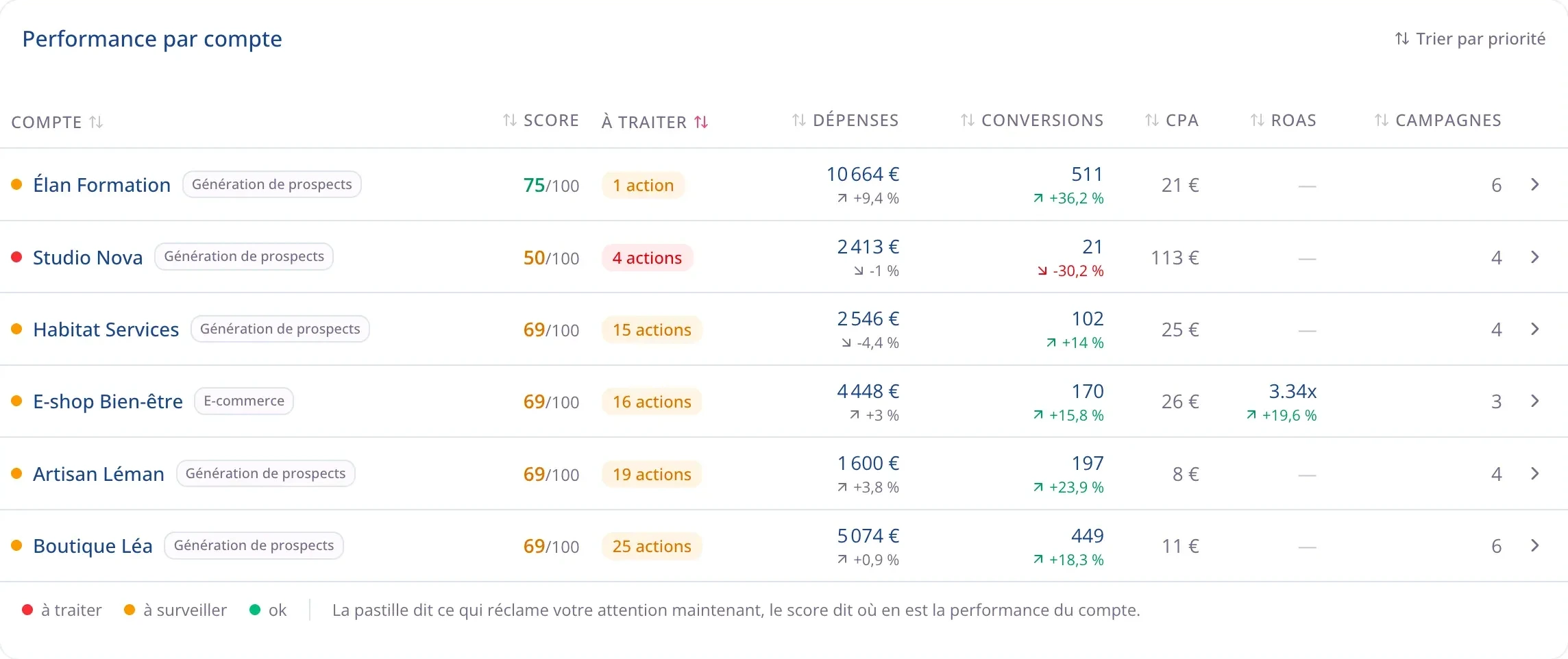
The account that needs you comes first
Every account carries a status and the number of actions waiting. In the morning you know which one needs you, instead of reviewing all of them to find out that three were fine.
- Sorted by priority: accounts that need attention come first.
- Status and pending actions on every row.
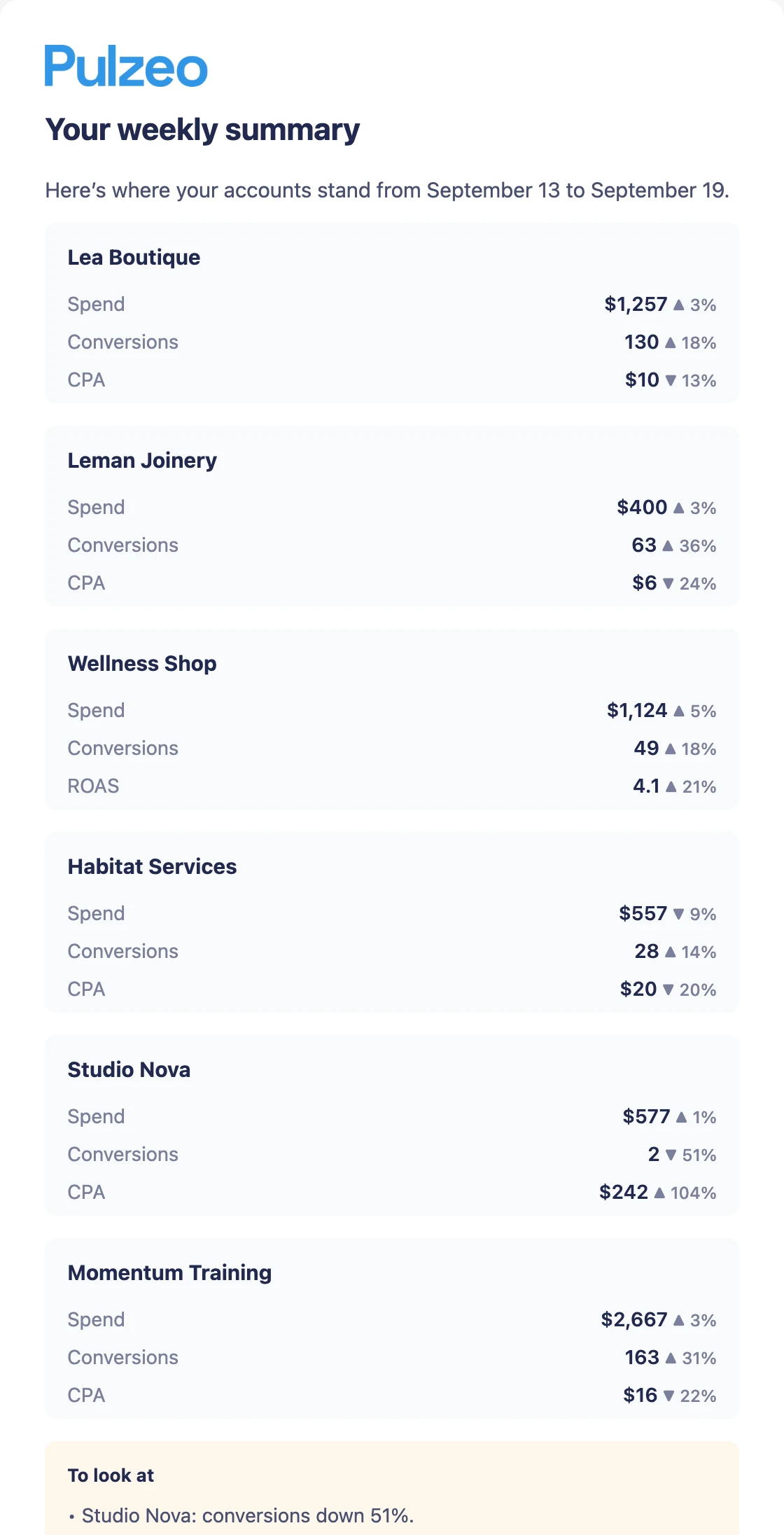
No account slips through
The more accounts you run, the easier it is to leave one untouched for three weeks. Morning alerts and the Monday summary tell you what changed, across every account, without you opening them one by one.
- An email every Monday with the state of the portfolio.
- Critical alerts flagged the same day.
Without leaving the screen
Every account carries its own priorities
Click an account and its pending actions appear right there. From that row you can open its dashboard or its action plan without losing the overview.

Questions about managing multiple accounts
Which plan includes the portfolio view?
The Business plan, which covers 10 accounts, and the Agency plan, which goes up to 30. The Individual plan connects 2 accounts but shows them one at a time, with no consolidated view. The 14-day free trial includes the portfolio view.
Do I need a manager account (MCC)?
No. You can connect accounts that have nothing to do with each other. If you do have a manager account, the accounts under it are listed for you right away.
Can my clients see their own account?
Yes, on the Agency plan: you give a client read-only access to their account. They never see the others and can’t change anything. They get the numbers for their account and their reports, nothing else.
Can I order the accounts the way I want?
Yes. In the portfolio view, choose “Custom order” and drag the rows to put the accounts you open most at the top. The order is saved between sessions, and it’s the same one used on the Ad accounts page.
What happens if I hit my account limit?
Nothing is lost: you keep the accounts you have, and Pulzeo suggests moving up a plan to add more.

Your Google Ads copilot is ready.
Zeo will analyze your accounts, quickly spot the optimizations that matter and prepare your client reports.
- 14-day free trial
- No credit card required
- Cancel in one click
