
For online stores
Know what Google Ads is really making your store
The ROAS Google reports is almost always kinder than your actual margin. Pulzeo gives you numbers you can base decisions on, and what to fix.

Google’s ROAS and yours aren’t the same number
The ad platform counts with its own attribution windows and its conversions per interaction. Until those figures are compared with what your store actually banks, you’re making calls on a generous estimate, and feeding campaigns that lose money.
Performance Max doesn’t show which products sell
It takes the largest share of the budget and explains the least. Pulzeo drills down to the product level and tells you which ones sell, which ones spend without ever selling, and which ones carry the account on their own.
- Product-level detail, not just the campaign total.
- Items that spend without selling are named one by one.
What you track on your store
ROAS, not the click count
Revenue, conversion value, average order value, ROAS: the numbers that decide whether a campaign deserves its budget.
Your real numbers
The revenue Google Ads reports is almost always kinder than what your store’s admin shows. The gap gets measured instead of guessed at.
The campaigns nibbling at your margin
A campaign that looks profitable can turn out expensive once the real revenue is set against it. Campaigns are ranked on the right numbers.
Off-topic queries
The actual searches that trigger your ads are surfaced. That’s almost always where the budget that sells nothing goes.
The season’s peaks and lulls
Sales, holidays, back to school: the week-by-week trend shows whether the drop comes from your campaigns or simply from the calendar.
Fixes applied for you
You approve, Zeo does the work in Google Ads. On a day when stock, customer service and orders come first, that’s the difference between a fix done today and one pushed to next week.
14-day free trial
Sell more on the same budget
Connect your Google Ads account and see straight away which campaigns pay off and which ones cost you money. No credit card required. Cancel anytime.
Budget rarely goes where it pays off
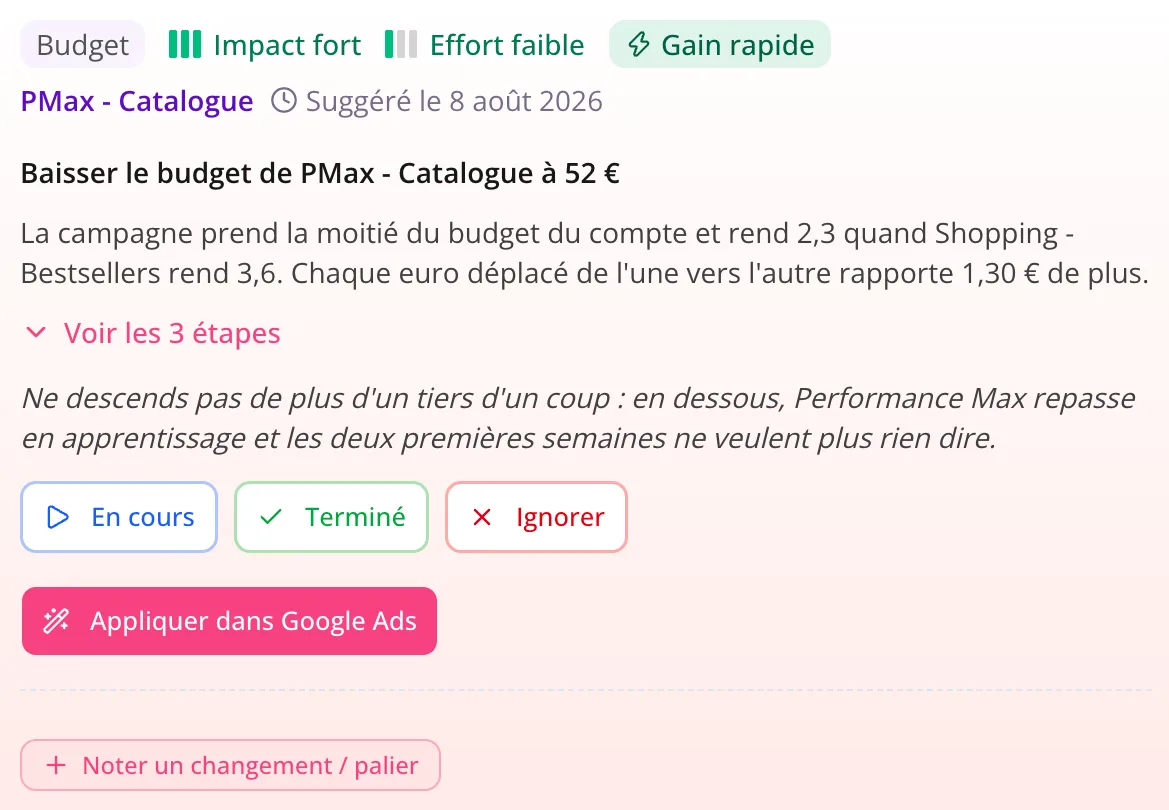
One campaign capped while another spends without selling isn’t something you make up at month-end: every day it lasts costs you. Zeo puts a number on what you’re leaving on the table and suggests a better split.
Tracking breaks, and the whole month is wrong
A theme update, a new payment plugin, a replaced consent banner: that’s all it takes for conversions to stop coming through. The check-up runs in the background and flags it, before you steer a whole month blind.
- A drop in conversions caught the same day.
- Duplicates and wrong counting settings caught in your tracking.
Google pushes you to spend more, rarely better
The Recommendations page in your Google Ads account mostly suggests widening your targeting and raising your budgets. That’s the ad platform talking, and its interest isn’t exactly yours. Zeo looks at the same data and starts by finding the spend that brings nothing back.
- Every piece of advice is measured against your sales, not theoretical potential.
- Lowering a budget or cutting a campaign is among the possible answers.
You don’t have to become a Google Ads specialist
You have a store to run, suppliers, orders. Zeo explains what’s happening in plain English, suggests the action and spells out the steps. You stay in control of your acquisition without giving up your evenings.
- Answers are based on your real sales data.
- Every recommendation says where to go and what to click.
The written analysis
What your numbers say, in plain English
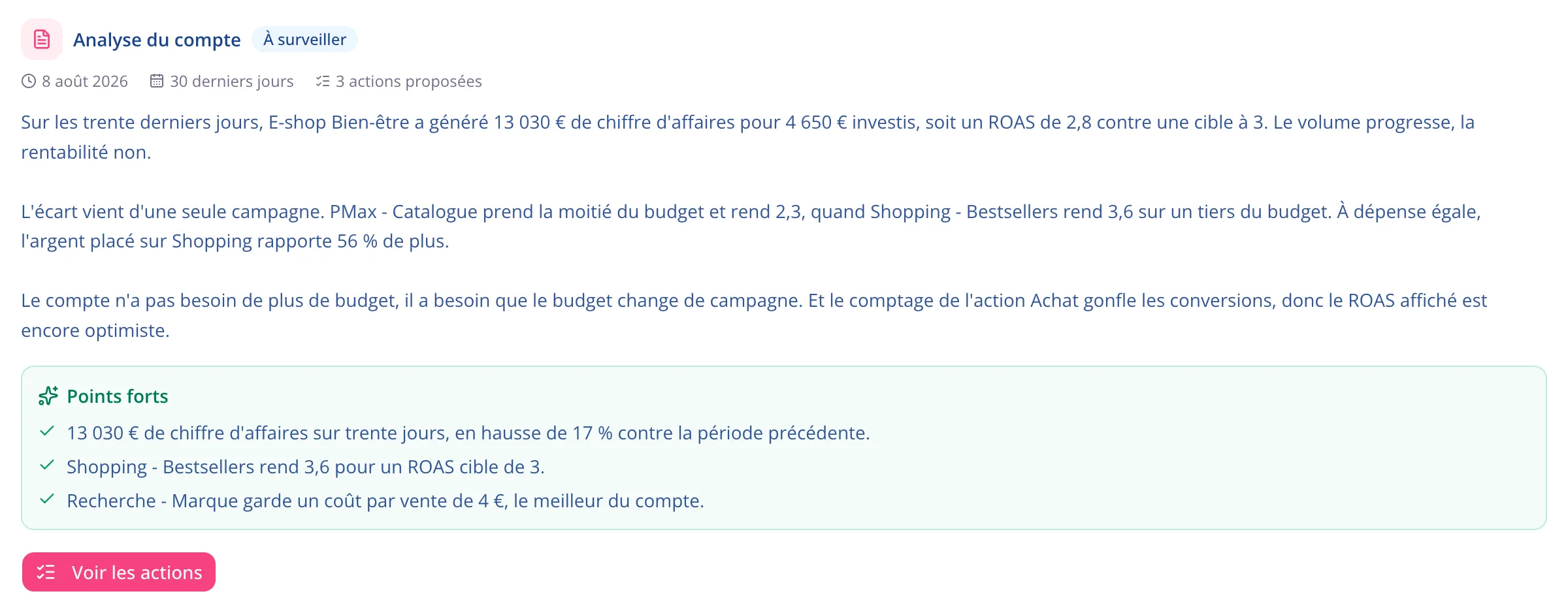
Zeo reads the last thirty days and writes what it sees: what’s behind the gap to your target, which campaign is widening it, and what’s already working. Three paragraphs, not a dashboard to decode.
What matters when you sell online
The screens where your campaigns’ profitability is decided, in the order you open them.
Conversion tracking
The foundation of everything: without accurate tracking, your ROAS is an opinion. The check-up tells you whether it holds up.
Learn moreThe action plan
What to fix on the store, ranked by gain, with the fixes Zeo applies for you.
Learn moreThe dashboard
Your sales, your ROAS and your average order value over the period, with no export to run.
Learn moreKeyword research
The real volumes and costs of your market before you launch a product line or expand into a new area.
Learn more
Questions from online stores
Do I need to be a Google Ads expert?
No. Everything is written in plain English, and every recommendation spells out the steps in Google Ads. It’s built for store owners running their own campaigns, not for specialists.
Does Pulzeo connect to my store?
Pulzeo connects to your Google Ads account. To compare it with what your business actually banks, you pass your conversion values through your tracking, with no need to connect your store’s admin.
Does it work with Performance Max?
Yes, and that’s where Pulzeo helps most, since it’s the campaign that explains the least about what it does. Analyses drill down to the product level, and recommendations take into account what that campaign type actually lets you adjust.
What about sale periods, when everything shifts at once?
Analyses compare against the previous period and follow the week-by-week trend, which puts the drop in context instead of just noting it. And if your profile lists a seasonal peak (sales, holidays), Zeo takes it into account before concluding anything about the account.
Another subscription, on top of the store and the ads?
That’s the right question to ask. The first plan has no commitment, and compared with what a single poorly tuned campaign spends in a week, it’s small change. The 14-day trial, with no credit card required, exists precisely so you can check what Pulzeo finds on your account before paying anything.
Can I track several stores?
Yes, with one Google Ads account per store. Two accounts are included on the Individual plan, ten on Business, and the consolidated view comes with Business.
What happens if my tracking is set up wrong?
The check-up finds it and explains it: wrong counting settings, an inactive conversion, a duplicate inflating your revenue. You fix it before making more decisions on bad numbers.

Your Google Ads copilot is ready.
Zeo will analyze your accounts, quickly spot the optimizations that matter and prepare your client reports.
- 14-day free trial
- No credit card required
- Cancel in one click
