
For businesses
Run Google Ads without being an expert, and without paying an agency
Zeo analyzes your account and tells you what’s wrong and how to fix it. You see what your budget brings in before the invoice tells you.
A qualified lead, not one more click
In B2B or in services there’s no shopping cart, and the sales cycle runs for weeks. What counts is the cost per lead, the volume you need to sustain, and the share that actually closes. You set your line of business, and the metrics line up with it.
The expert you’re not going to hire
An in-house specialist costs a salary, an agency costs a monthly retainer, and your needs may justify neither. Zeo analyzes the account, writes the diagnosis and suggests the fixes. It doesn’t do everything, and it’s worth knowing what it leaves to you.
What Pulzeo replaces
The consultant you call once a quarter
The diagnosis is written, dated and available when you need it, not when a slot opens up in someone’s calendar.
Tutorials that contradict each other
Every recommendation spells out the steps in your account, matched to your campaign type. No more choosing between three blog posts or videos.
The tracking spreadsheet
Cost per lead, volume, trend: the numbers are up to date with no export and no monthly copy-paste.
Depending on an outside provider
Your team understands what’s happening on the account. Switching agencies, or going without one, stops being a leap in the dark.
The account’s memory
What was changed, when and why stays available. When the person who ran it leaves, the history stays.
The audit you order once things have gone wrong
The account is reviewed every day, not once a year when the numbers have already slipped. You hear about it as soon as there are improvements to make.
14-day free trial
Take back control
Connect your account and replace an outside provider from day one. No credit card required. Cancel anytime.

Know what it returns, without building a spreadsheet
The account spends every day, and the same question comes back every month: is this working? The report gives the acquisition cost, how it changed and what explains the gaps, in a document anyone can read without ever opening Google Ads.
Build the skills, stay in control
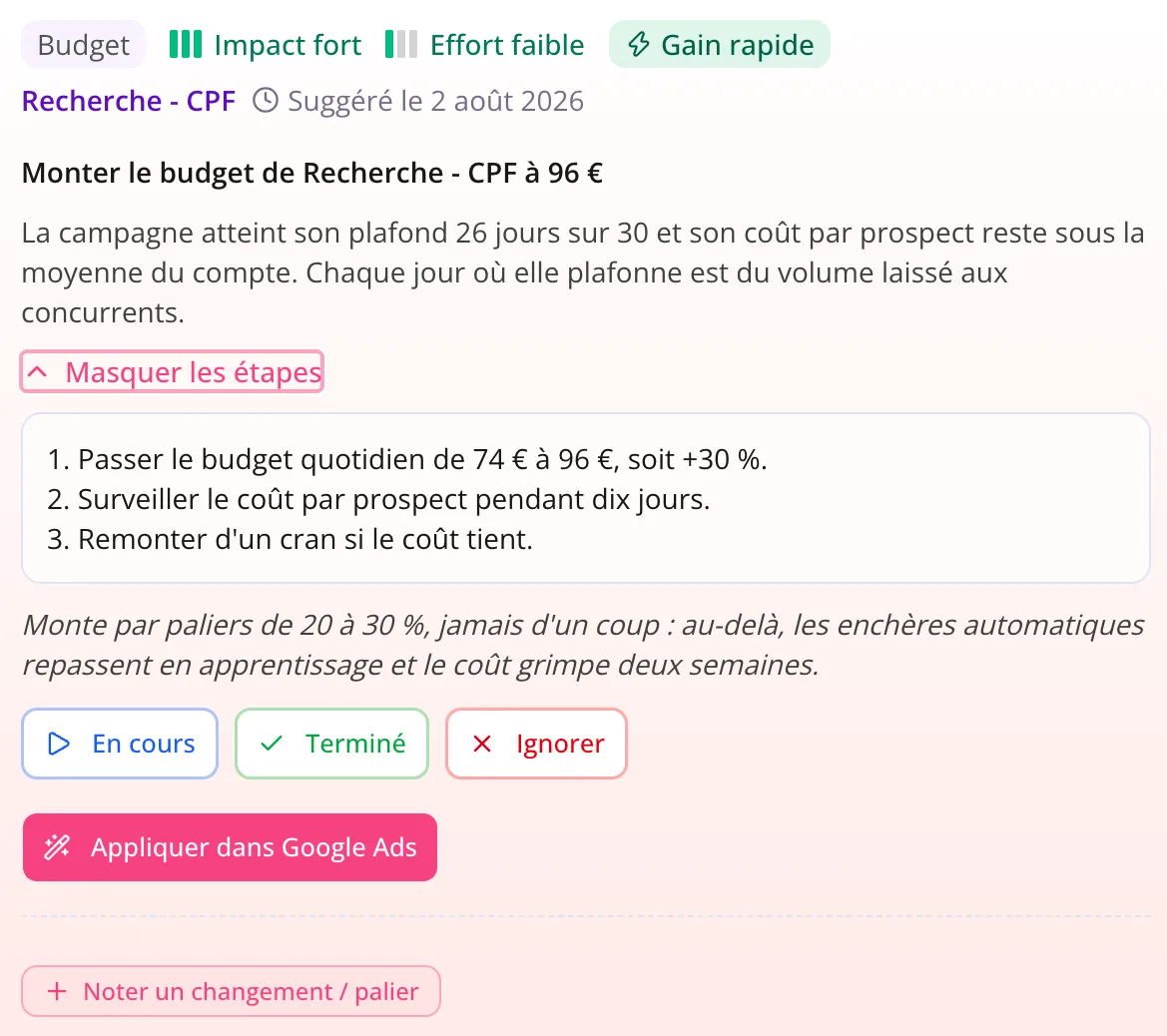
Every recommendation explains the why before the how. Your team learns by doing, stays in control of acquisition, and stops depending on an outside provider to understand what’s happening on its own account.
- The reasoning is spelled out, not only the instruction.
- Steps are numbered and match the campaign type.
Nobody keeps Google Ads open all day
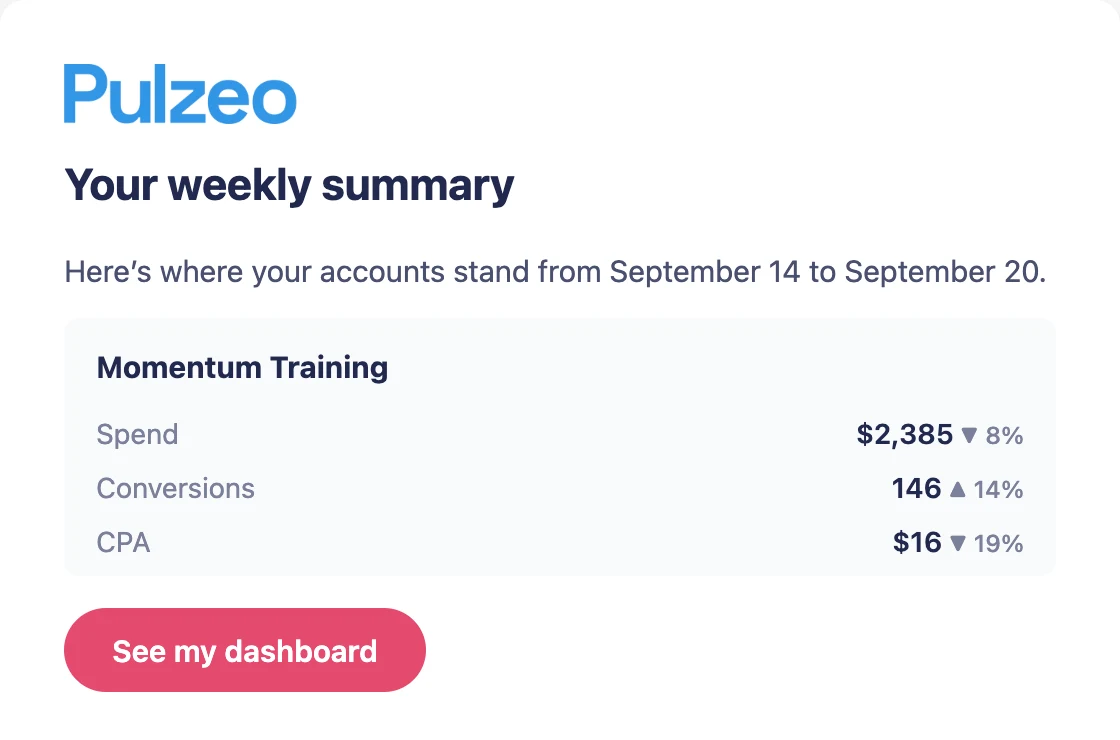
That’s what a team with other work to do looks like. A runaway budget or a climbing cost per lead reaches you the same morning, so you don’t find out on the invoice or at the next meeting.
- Critical alerts by email, the day the problem appears.
- A summary of the account every Monday.
The features that count when you run it in-house
What you open during the week when Google Ads isn’t your job.
The action plan
What to fix on the account, ranked by gain, with the steps spelled out for someone who does this on the side.
Learn moreAlerts
The safety net when nobody on the team watches the account full time.
Learn moreKeyword research
The real volumes and costs of your market before you expand into a new area or launch a new offer.
Learn moreReports
The monthly document for management, written from the month’s real numbers.
Learn more
Questions from businesses
Do we need a Google Ads specialist on the team?
No, that’s exactly the use case. Analyses are written in plain English and every action spells out the steps. Someone in marketing who isn’t an expert can run the account.
How much time does it take?
Mainly one pass through the action plan each week, starting with the quick wins. Alerts cover anything urgent in between.
Does it work for B2B, with its long sales cycles?
Yes. You set the account’s line of business, and the metrics line up with it: cost per lead rather than ROAS, appointments booked rather than shopping carts. Zeo’s analyses follow the same logic.
Can several people have access?
Yes, on the Agency plan: you invite your colleagues and each one gets a role that sets what they see and what they can change. On the Individual and Business plans, the account stays with a single user.
What if we already work with an agency?
Pulzeo can replace one, but nothing forces you to choose. Plenty of teams use it to understand what’s being done on their account and to ask their provider better questions, with numbers to back them.
What if the person running the account leaves?
Past analyses, dated changes and notes stay in Pulzeo. Whoever takes over the account can see what was done and why, instead of starting from a Google Ads interface with no context.

Your Google Ads copilot is ready.
Zeo will analyze your accounts, quickly spot the optimizations that matter and prepare your client reports.
- 14-day free trial
- No credit card required
- Cancel in one click
