
A Google Ads action plan that tells you where to start
Zeo analyzes your accounts, ranks the fixes by gain and effort, and tells you what to do. It can even apply some of them for you.
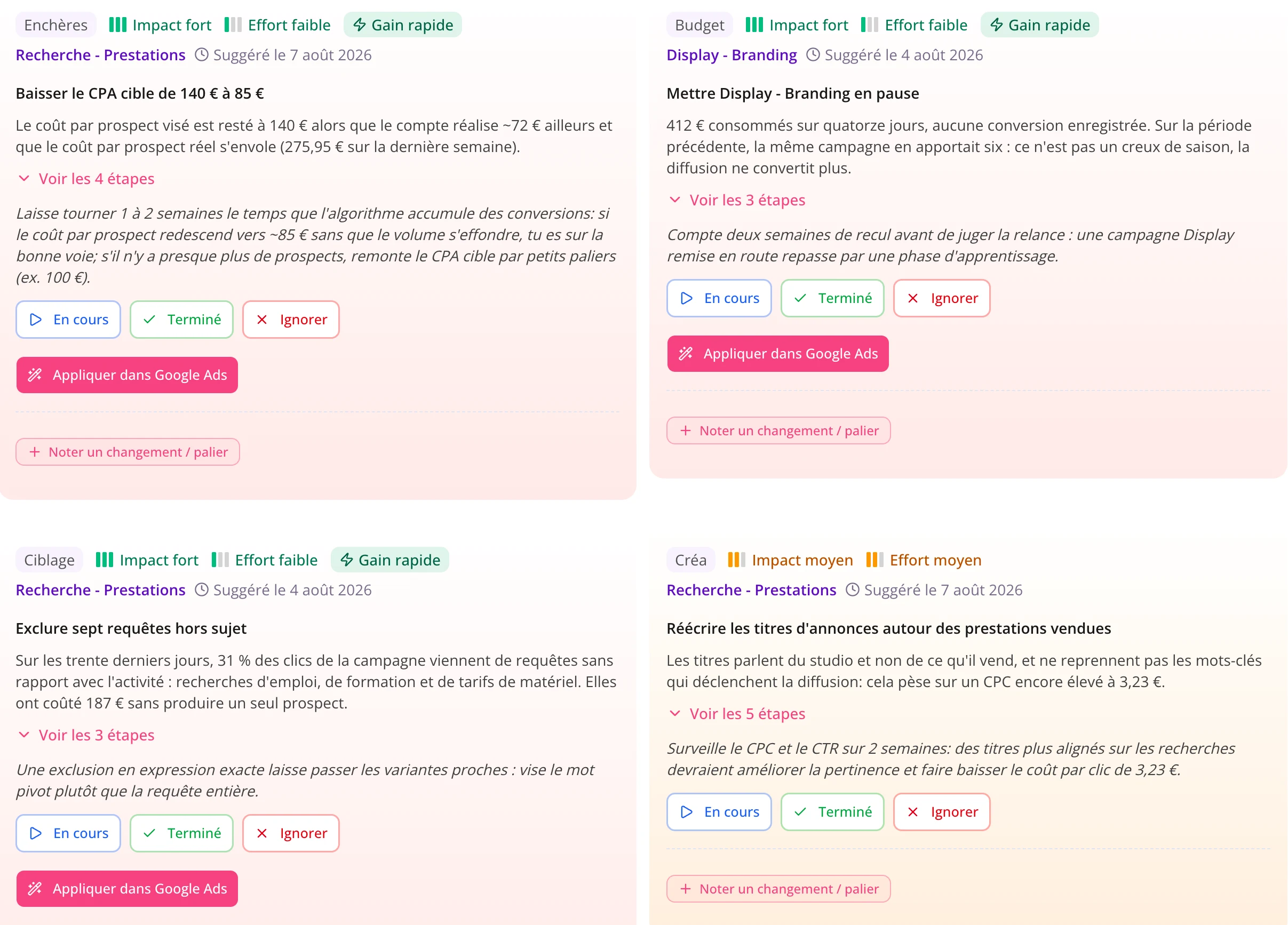
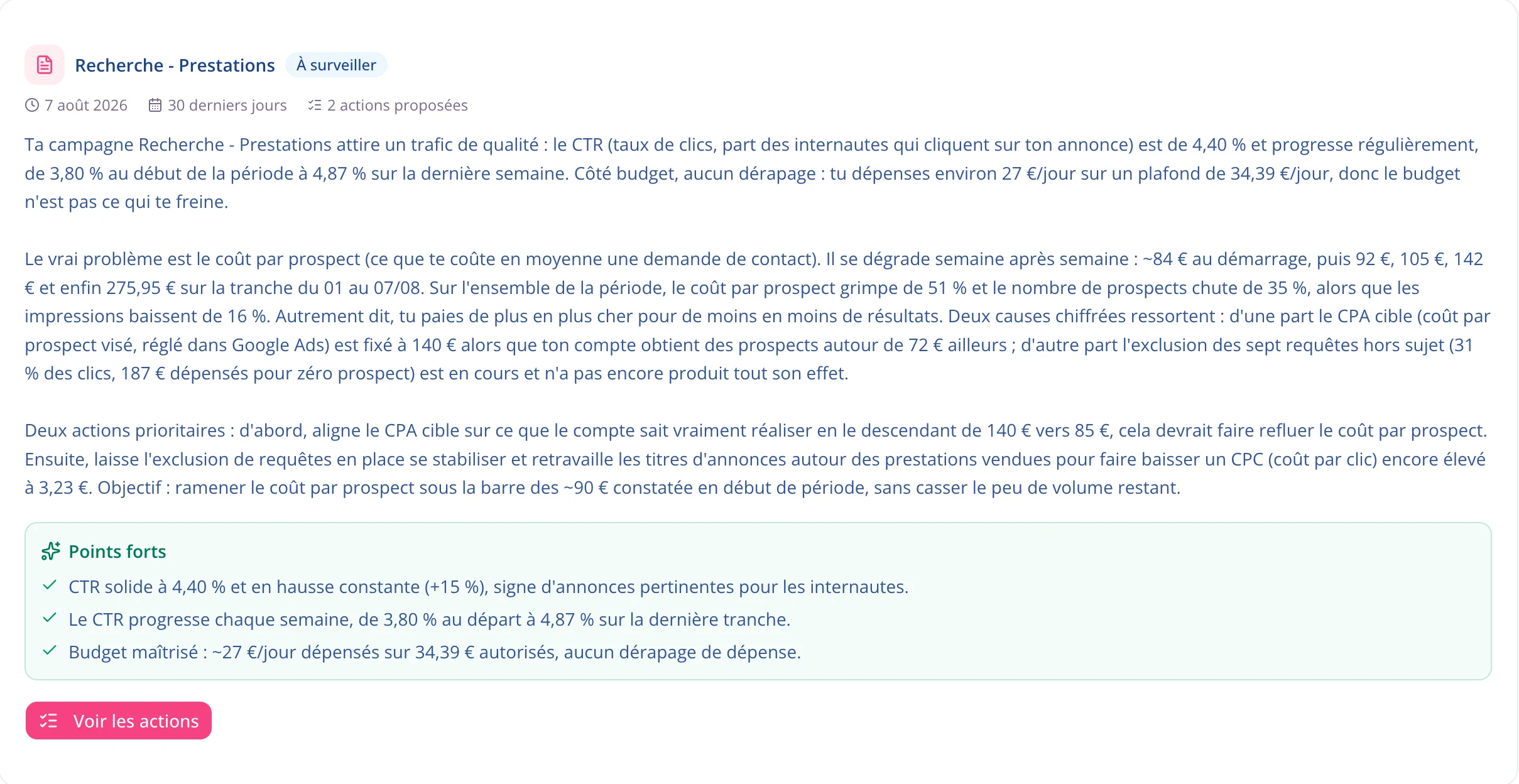
You see right away what to fix
Other tools raise alerts but don’t explain them. Zeo reads your data and writes what works, what needs fixing, and the reason behind each piece of advice. A beginner can follow it, and a seasoned pro saves time.
- Analysis per campaign or across the whole account.
- Written in plain English, easy to follow, with no jargon.
Start with what pays the most
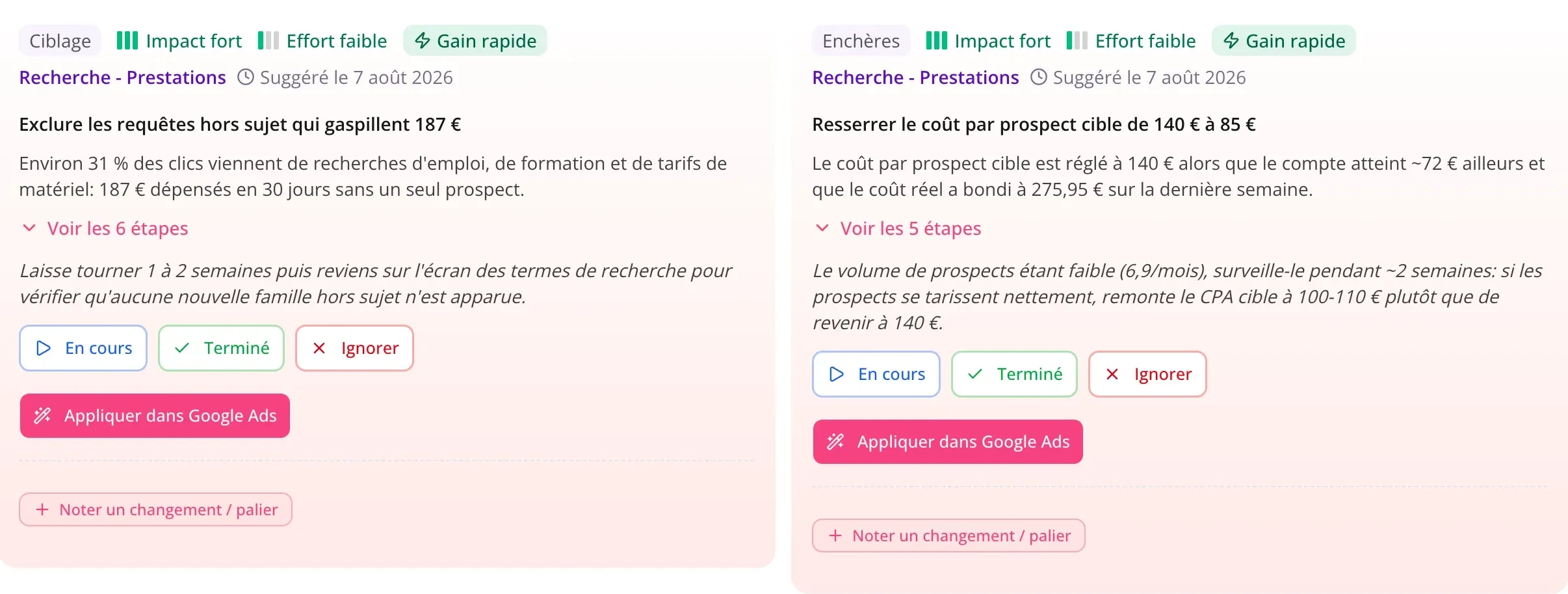
Every fix carries its expected gain and the effort it takes. Quick wins rise to the top of the list. You know where to start, instead of looking at everything at once.
- Filter by impact, sort by quick wins.
- Set the status of each action: to do, in progress, done.
What’s in your action plan
One campaign or the whole account
Run the analysis on a single campaign when something specific worries you, or on the whole account to see how it performs.
An expected gain on every action
Expected gain and effort required sit side by side. The fixes that pay off fastest rise to the top on their own.
The full instructions
Where to go in Google Ads, what to click, in what order. Steps are numbered and collapsible, and match your campaign type.
A status on every action
To do, in progress, done. You see at a glance what has been handled and what’s still waiting, without keeping a spreadsheet on the side.
The history stays available
Past analyses are kept along with your change notes. You can see what was changed, when, and what it produced.
The fixes Zeo applies
Budget, target CPA or ROAS, pausing, negative keywords: Zeo makes the change in Google Ads after your confirmation, and can roll it back.
14-day free trial
Fix it in one click
Connect your account and apply Zeo’s fixes without ever leaving Pulzeo. No credit card required. Cancel anytime.
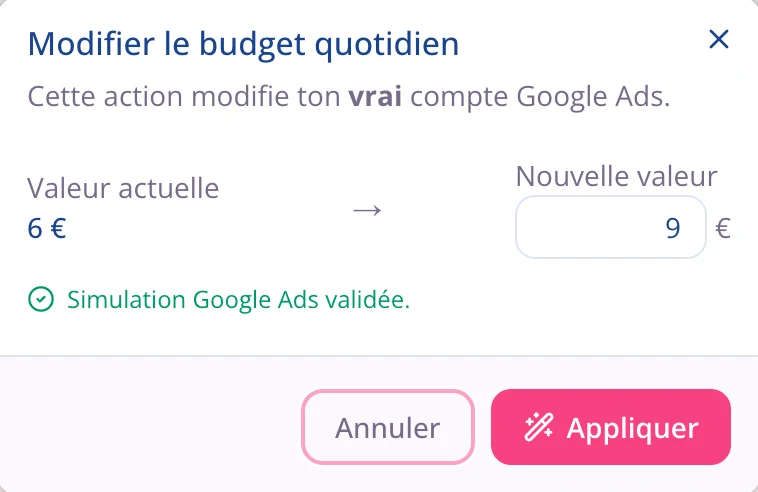
You confirm, Zeo applies
Daily budget, target ROAS or CPA, pausing, negative keywords: Zeo makes the change in Google Ads once you have confirmed. The value stays editable before you approve it, and you can restore the previous setting. Anything too sensitive comes with full instructions instead.
- Nothing is changed without your confirmation.
- Every applied action can be rolled back.
A badly split budget costs you every single day
One campaign capped while another spends without returning anything isn’t something you fix retroactively: every day you wait costs you. Zeo spots the gap between the two and puts a number on what you can recover.
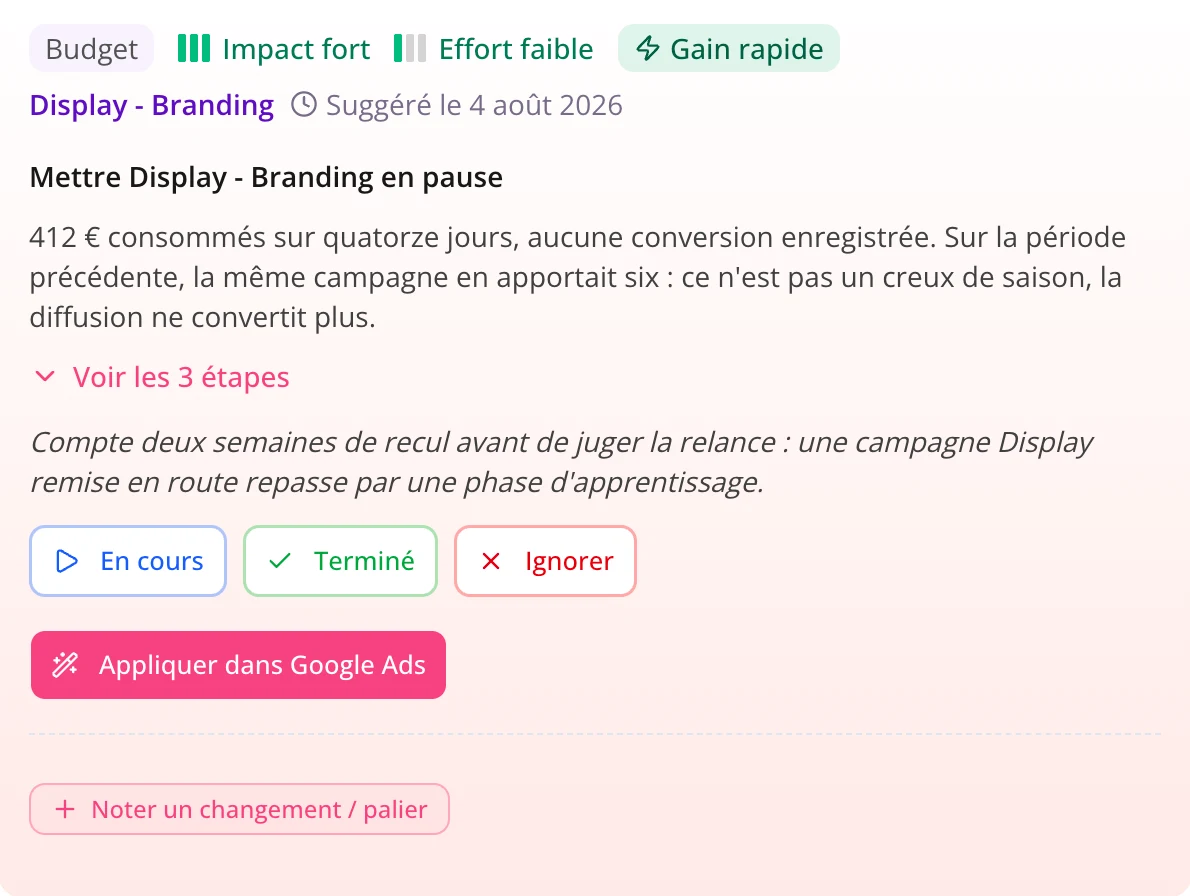
Recommendations cover all four levers
Budget, bidding, targeting and ads are all reviewed, not just the one that’s easy to automate. Off-topic search terms, bids set against the wrong goal, ads that no longer stand out: Zeo flags each one with the number that backs it up.
- Search terms to exclude are found in the queries people actually typed.
- Your bidding strategy is checked against the goals in your business profile.
Questions about the action plan
Does Zeo change my account without asking?
No. Nothing is changed without your confirmation. On the fixes it can apply, Zeo shows the current value, the new value, and waits for you to approve. Everything else stays as manual instructions.
Can I undo a fix?
Yes. Every action applied from Pulzeo can be undone in one click: the previous setting is restored in your Google Ads account.
Do I need to be a Google Ads expert to use it?
No. Recommendations are written in plain English, without jargon, and every action spells out where to go and what to click, step by step. Pulzeo works for beginners and seasoned advertisers alike.
What data does Zeo base this on?
On the real data in your Google Ads account: spend, conversions, the search terms people typed, budgets, bids and change history. Recommendations come out of your numbers, not out of general best practice.
How long does an analysis take?
From a few seconds to a few minutes, depending on how much data there is. You can keep working while it runs: an indicator tells you as soon as your action plan is ready.

Your Google Ads copilot is ready.
Zeo will analyze your accounts, quickly spot the optimizations that matter and prepare your client reports.
- 14-day free trial
- No credit card required
- Cancel in one click
